- Support Home
- Knowledge Base
- Integrations
- RSS2 Feed Import Integration
Related articles
Need some help?
If you have questions or can't find what you're looking for, we're here to help.
Taguchi Support is available 24 hours a day, Monday to Friday.
Create New TicketTaguchi Certified Training
Join our free and live online training sessions. You'll benefit from a better understanding of the platform's features and functionality. Plus with Taguchi Certified Rewards, every session you attend, you're not just learning - you're earning your way to some fantastic rewards.
About Taguchi Certified RewardsAPI Version 5
Did you know Taguchi has an API that supports all of the functionality provided by the admin interface and more?
Explore API Documentation
Thanks for your feedback!
RSS2 Feed Import Integration
Introduction
The RSS2 Feed Import Integration provides a robust mechanism for automatically incorporating content from external RSS feeds into your Taguchi marketing ecosystem. This feature enables the automated acquisition, processing, and categorization of RSS content, transforming it into readily available marketing assets within your Taguchi instance.
Core Capabilities
The integration delivers the following key functionality:
- Scheduled acquisition of content from RSS 2.0 compatible feeds
- Automated media asset management with CDN integration
- Standardized HTML content sanitization and formatting
- Intelligent categorization through tag-based taxonomy
- Seamless content block generation for template utilization
Implementation Prerequisites
Successful implementation of the RSS2 Feed Import Integration requires:
1. RSS Feed Source Requirements
- A valid RSS 2.0 compliant feed URL (must utilize http:// or https:// protocol)
- Feed structure must include mandatory RSS elements: title, link, and description
2. Taguchi Platform Requirements
- Organization must have a properly configured content block template with reference identifier "rss_post"
Example RSS Feed URLs
The following examples illustrate properly formatted RSS feed URLs compatible with this integration:
News Publications
- BBC News:
https://feeds.bbci.co.uk/news/rss.xml - The New York Times:
https://rss.nytimes.com/services/xml/rss/nyt/HomePage.xml - CNN:
http://rss.cnn.com/rss/edition.rss
Technology Publications
- TechCrunch:
https://techcrunch.com/feed/ - Wired:
https://www.wired.com/feed/rss - Ars Technica:
https://feeds.arstechnica.com/arstechnica/index
E-commerce & Product Blogs
- Amazon AWS:
https://aws.amazon.com/blogs/aws/feed/ - Shopify Blog:
https://www.shopify.com/blog/rss
Content Platforms
- Reddit (subreddit):
https://www.reddit.com/r/technology/.rss - Medium (publication):
https://medium.com/feed/topic/technology - WordPress blog:
https://example.wordpress.com/feed/
Important Notice: Ensure compliance with all applicable content licensing and redistribution requirements when utilizing third-party RSS feeds within your marketing materials.
Configuration Procedure
Integration Setup
- Navigate to the Integrations administration panel
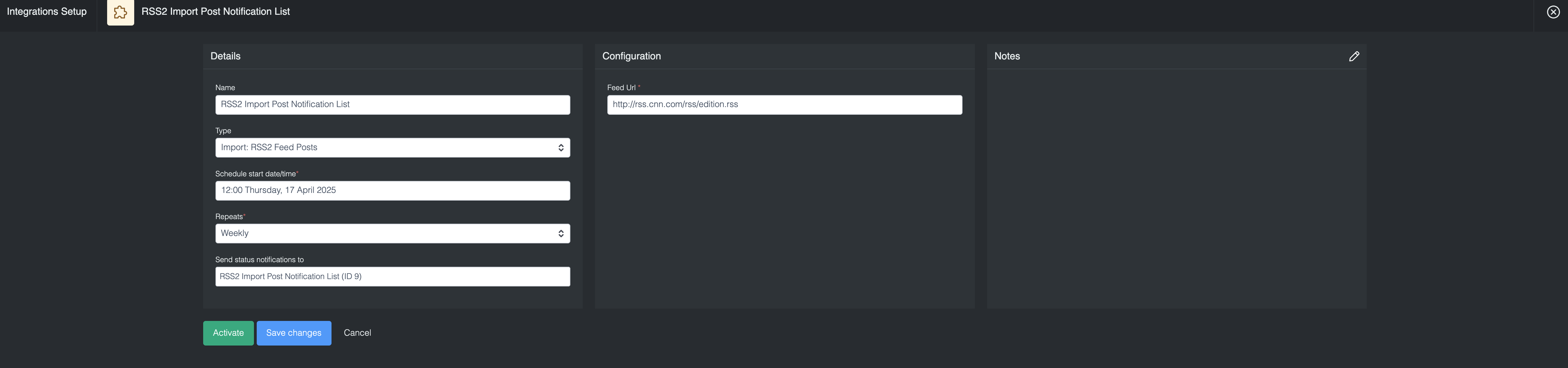
- Select "Add Integration" and choose "Import: RSS2 Feed Posts"
- Configure the required parameters:
- Schedule: Define the execution frequency using standard RRULE format
- Feed URL: Specify the fully qualified URL of the target RSS feed
- Send status notifications to: Select a notification list to receive integration status alerts, then choose whether to notify on every run or only when the integration fails
Utilizing Imported Content
After successful import, content is available in the following formats:
- Each RSS item is represented as a dedicated content block
- Content can be accessed via the "rss_post" template
- Content filtering is available through the following tag structures:
- Original source and title: "(https://example.com/blog/rss) Article Title"
- Category-based: "rss_category_technology" or "rss_category_news"
- Imported assets include:
- Title
- Source URL
- Description
- Full content (when available)
- Publication timestamp
- Associated media (CDN-hosted)
- Primary thumbnail (first image when available)
Viewing Integration Schedules and Next Run Details
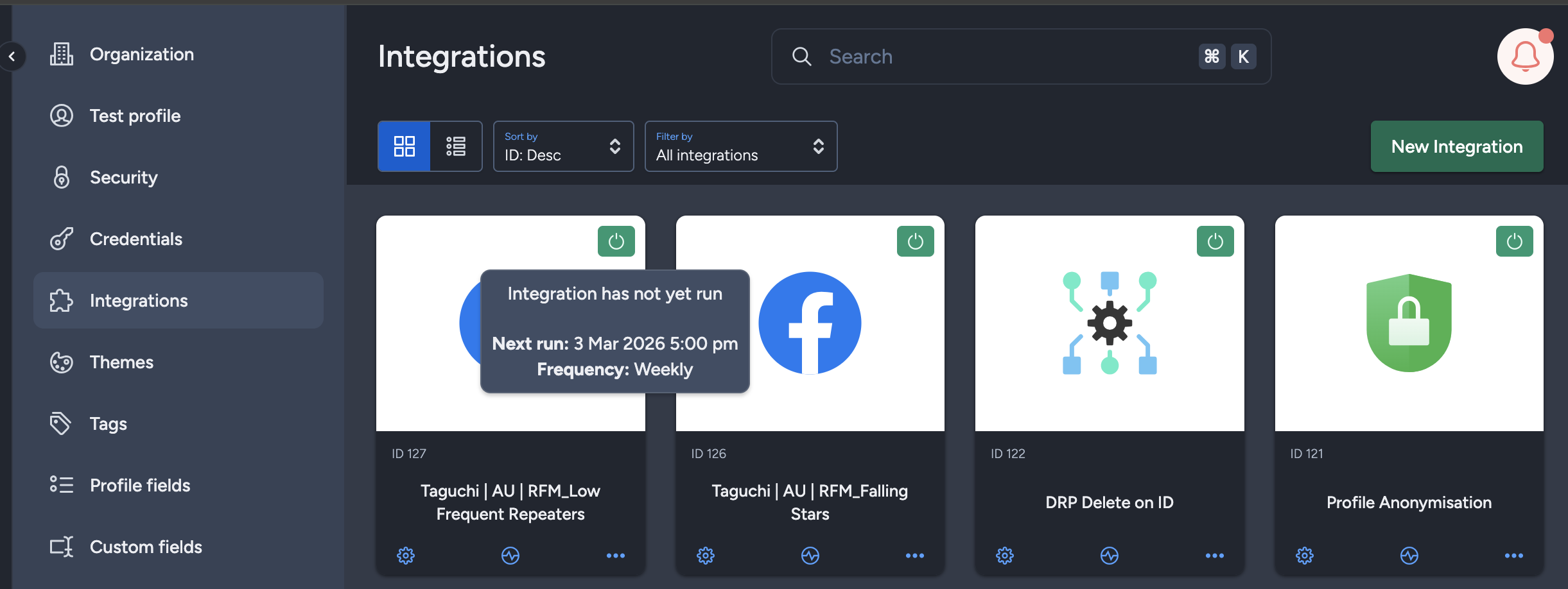
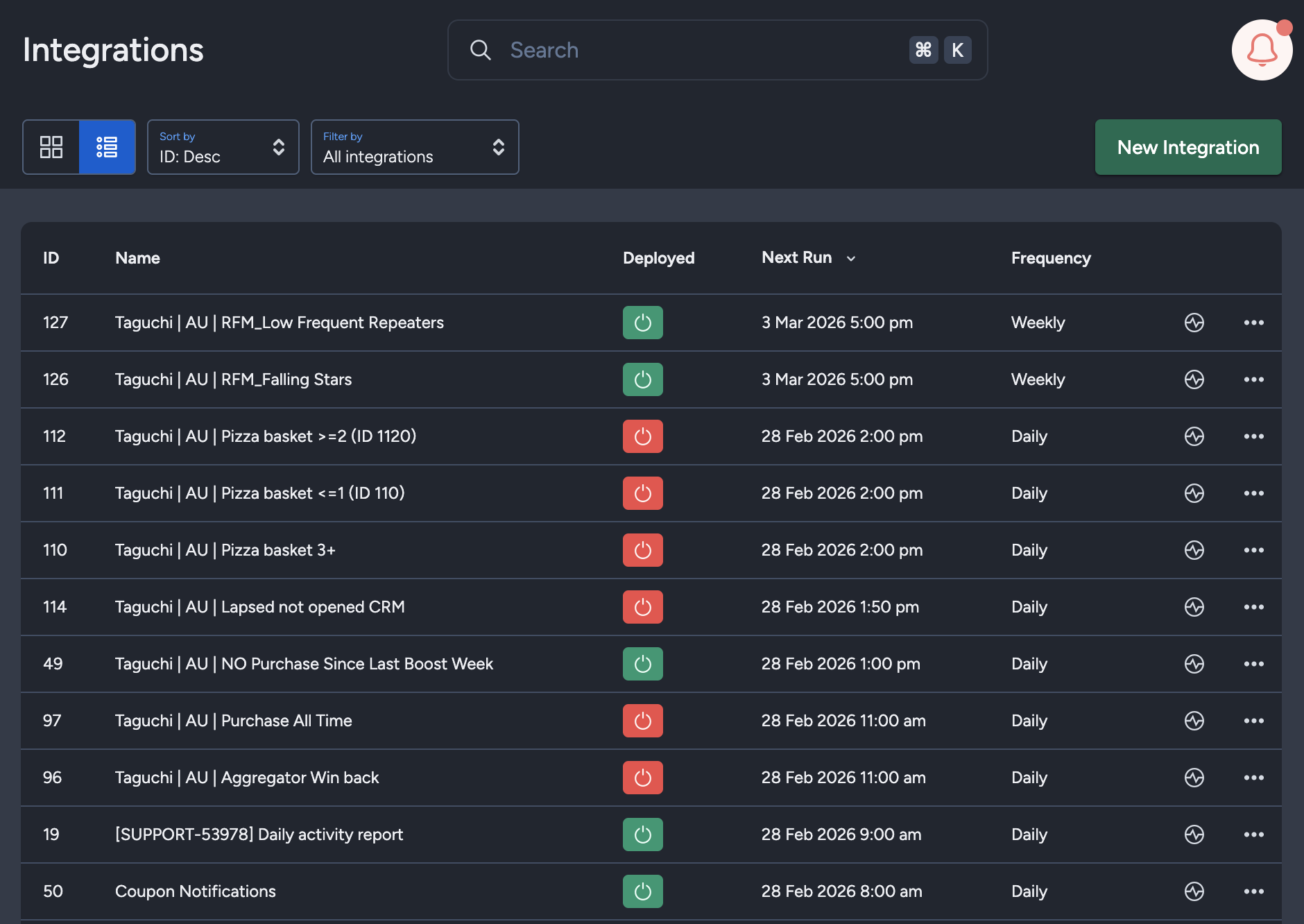
The Integration UI provides visibility into integration schedules by displaying the scheduled frequency and the time of the next run when hovering over the status icon. Adding to that, the integration UI supports list view with sortable columns so you can see the next run timestamp and frequency there too.. This helps users quickly check when integrations are scheduled to execute and manage them more efficiently.