- Support Home
- Knowledge Base
- Integrations
- SMS Integration
Related articles
Need some help?
If you have questions or can't find what you're looking for, we're here to help.
Taguchi Support is available 24 hours a day, Monday to Friday.
Create New TicketTaguchi Certified Training
Join our free and live online training sessions. You'll benefit from a better understanding of the platform's features and functionality. Plus with Taguchi Certified Rewards, every session you attend, you're not just learning - you're earning your way to some fantastic rewards.
About Taguchi Certified RewardsAPI Version 5
Did you know Taguchi has an API that supports all of the functionality provided by the admin interface and more?
Explore API Documentation
Thanks for your feedback!
SMS Integration
The SMS Integration enables a secure and automated connection between your chosen SMS service provider and Taguchi.
It supports multiple messaging platforms, allowing you to send SMS and MMS messages directly from Taguchi while ensuring data security, automation, and reliability.
SMS Integration Setup
To create a new SMS integration, ensure your user account has the required Integration Role privileges.
You can find the integration setup page under:
Settings → Integrations
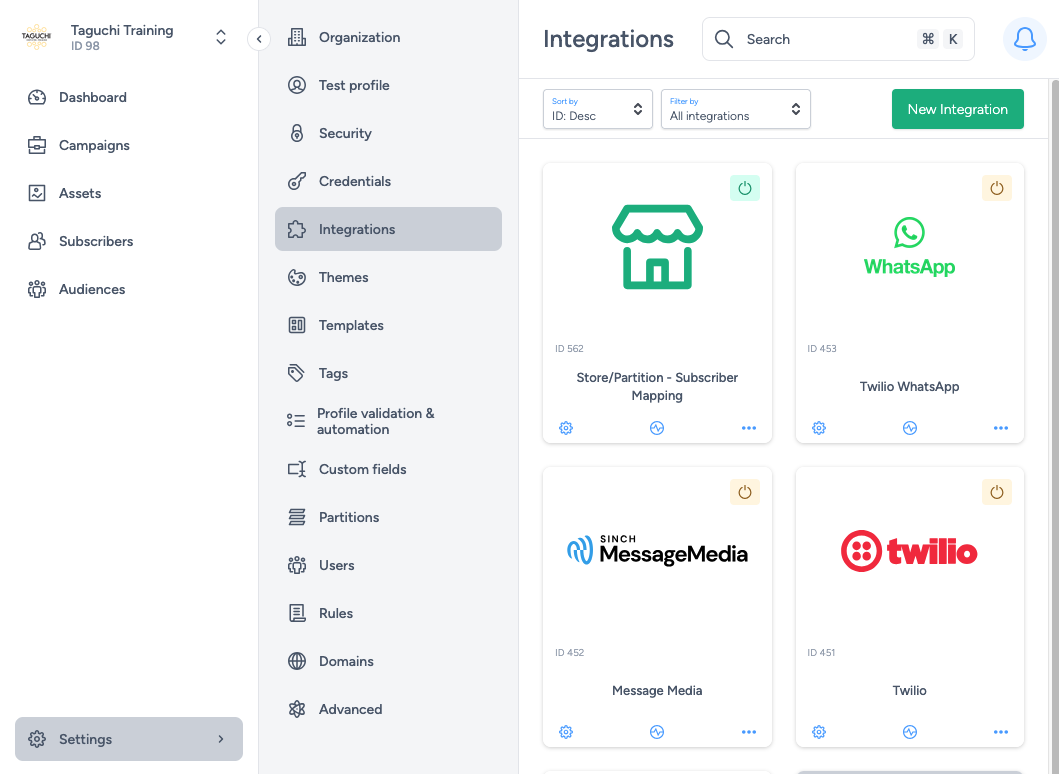
Select ‘New Integration’ to begin.

Within the setup screen, there are two main sections:
- Details
- Configuration
Available SMS Integration Options
The following messaging integrations are available in Taguchi:
- Messaging: Sinch SMS
- Formerly known as MessageMedia.
- Uses API key and API secret credentials.
- Messaging: Sinch SMS (Legacy)
- Formerly known as MessageMedia.
- Uses username and password credentials.
- Messaging: Tall Bob SMS
- Formerly known as VidCorp SMS.
- Uses username and password credentials.
- Messaging: Twilio Notify (Legacy)
- Requires Account SID and Authorization Token credentials.
- Messaging: Twilio SMS/MMS
- Requires Account SID and Authorization Token credentials.
- Supports MMS messages and custom sender numbers.
Details
Set the integration name:
Choose a clear, descriptive name to identify the integration.Select integration type:
Under Type, choose the relevant SMS option.
Integration types are grouped under:- API
- Import
- Export
- Messaging
- Scheduled
- Inbound Webhook URL:
This is a callback URL where your SMS provider sends HTTP POST requests containing message or event data.
Add this in your SMS account dashboard to enable inbound message handling.
Configuration: Sinch SMS
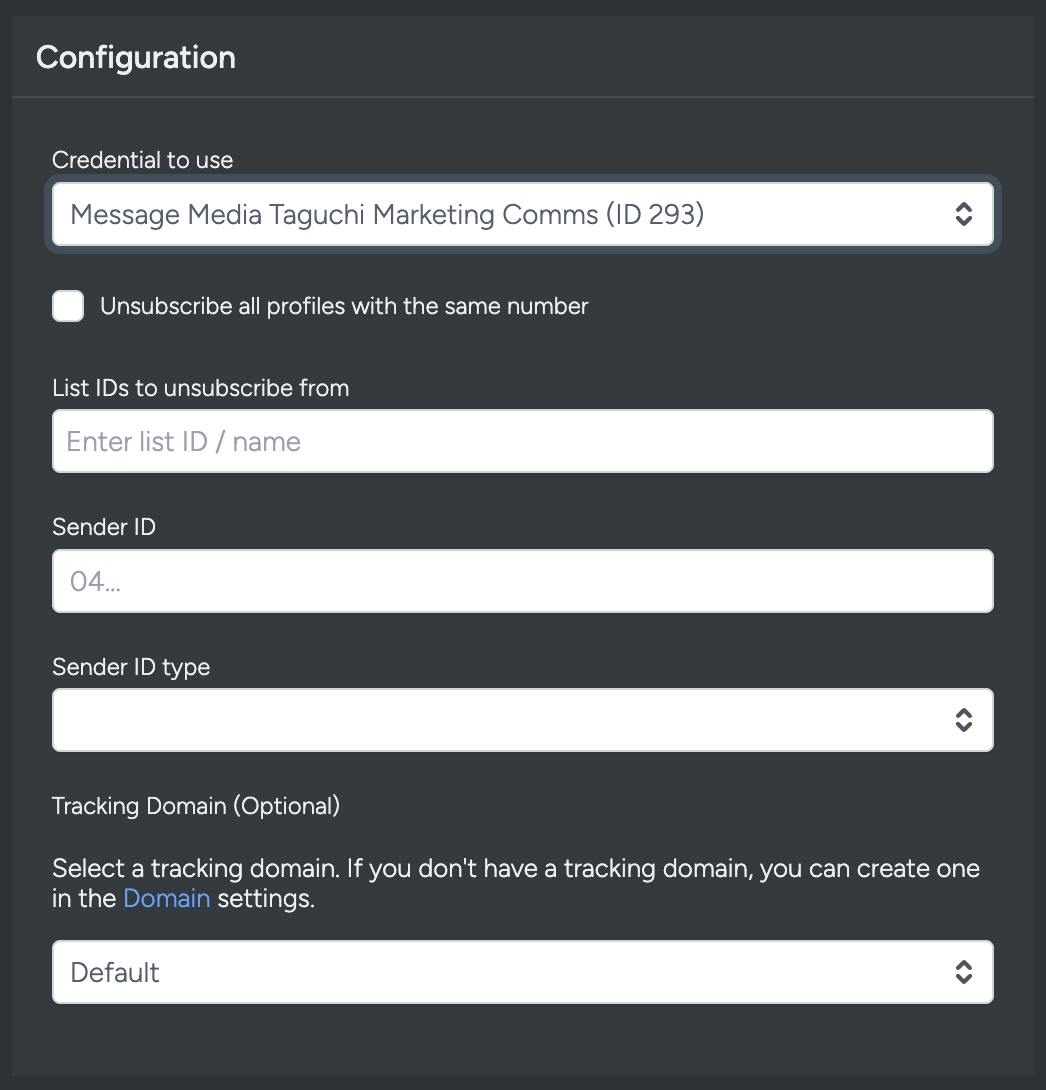
- Credential to use: Select credentials set up earlier.
- Unsubscribe all profiles with the same number: Ensures that all matching profiles are unsubscribed when one unsubscribes.
- List IDs to unsubscribe from: Specify which list(s) unsubscribes apply to.
- Sender ID: Originator name or number of the SMS.
- Sender ID Type:
- Alphanumeric: Up to 11 characters (A–Z, 0–9).
- International: Standard mobile number in international format.
- Shortcode: 4–6 digits, depending on country.
- Tracking domain: Optional; used for link tracking and analytics.
Configuration: Tall Bob SMS
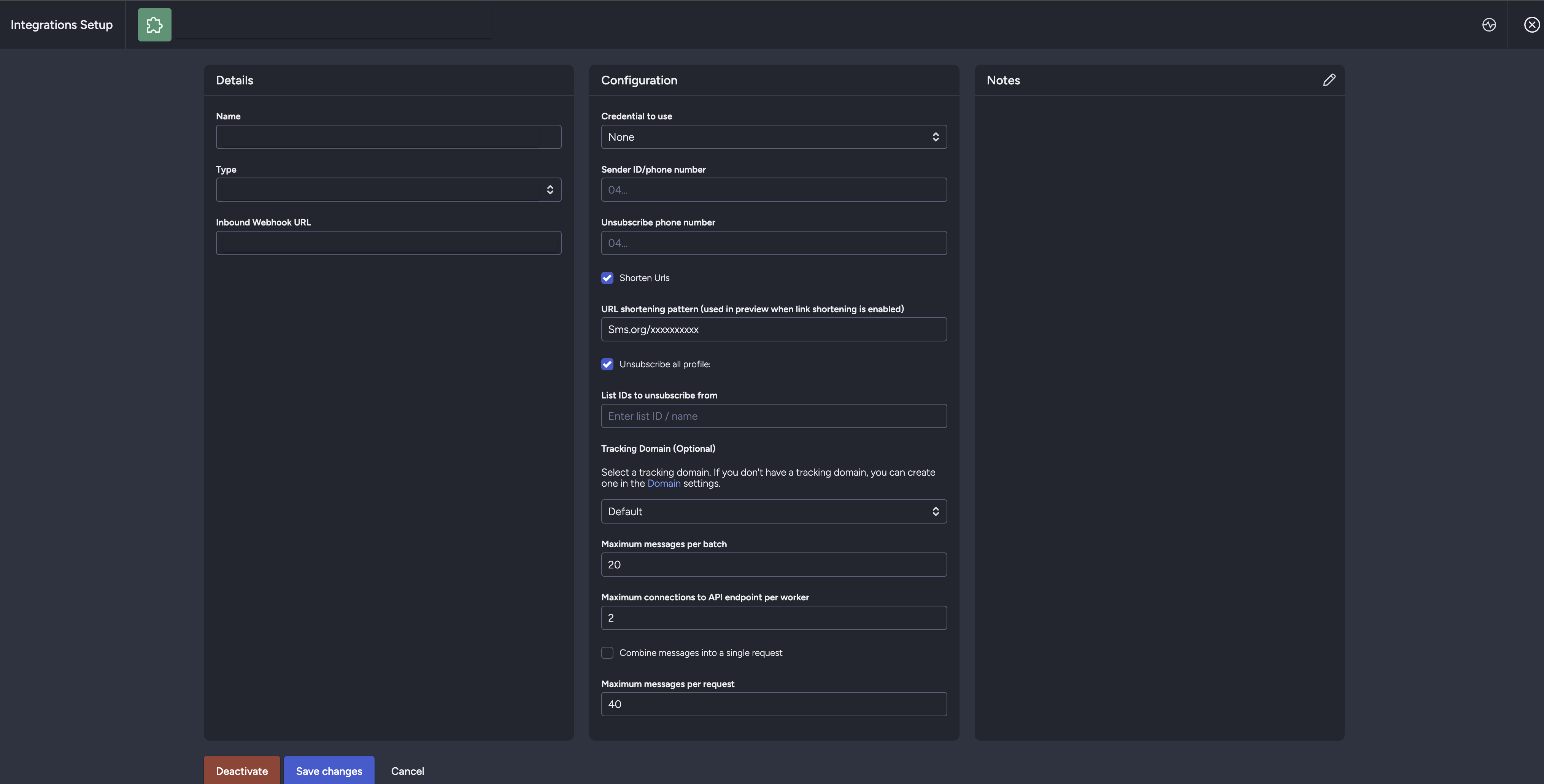
- Credential to use: Select previously created credentials.
- Sender ID: Originator name or number.
- Unsubscribe phone number: Number for replies/unsubscribes.
- Shorten URLs: Enables Tall Bob link shortening.
- URL shortening pattern (used in preview when link shortening is enabled): Set this to the format the SMS provider uses for shortened links, for example
sms.org/xxxxxxxxxx. - Unsubscribe all profiles with the same number: Global unsubscribe option.
- List IDs to unsubscribe from: Specify applicable lists.
- Tracking domain: Optional; use configured domain for link tracking.
Configuration: Twilio SMS/MMS
- Credential to use: Select credentials set up earlier.
- Messaging Service SID (optional): Unique Twilio identifier for message routing.
- ‘From’ number: Sender’s phone number (ignored if Messaging Service used).
- Enable MMS support: Allows multimedia messaging.
- Enable link shortening: Enables Twilio’s link tracking feature.
- URL shortening pattern (used in preview when link shortening is enabled): Set this to the format the SMS provider uses for shortened links, for example
sms.org/xxxxxxxxxx. - Unsubscribe all profiles with the same number: Global unsubscribe.
- List IDs to unsubscribe from: Specify list IDs.
- Tracking domain: Optional; for link tracking and analytics.
Viewing Integration Schedules and Next Run Details
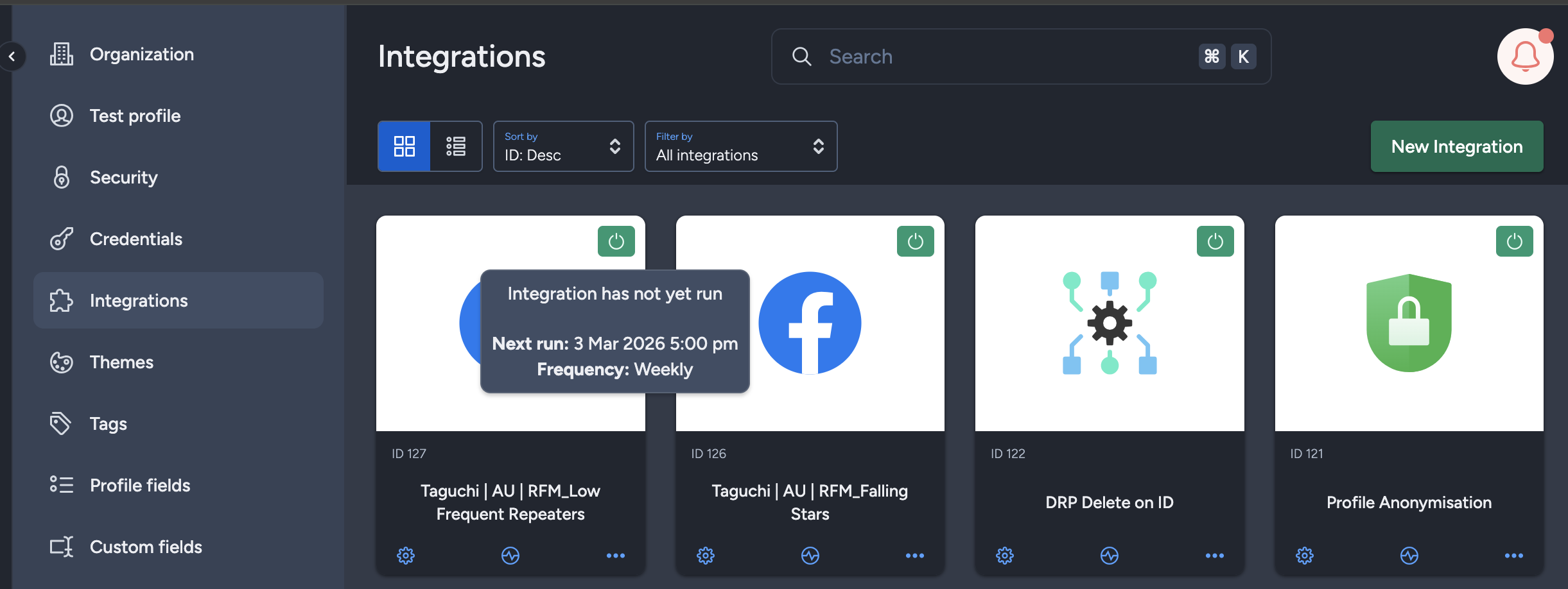
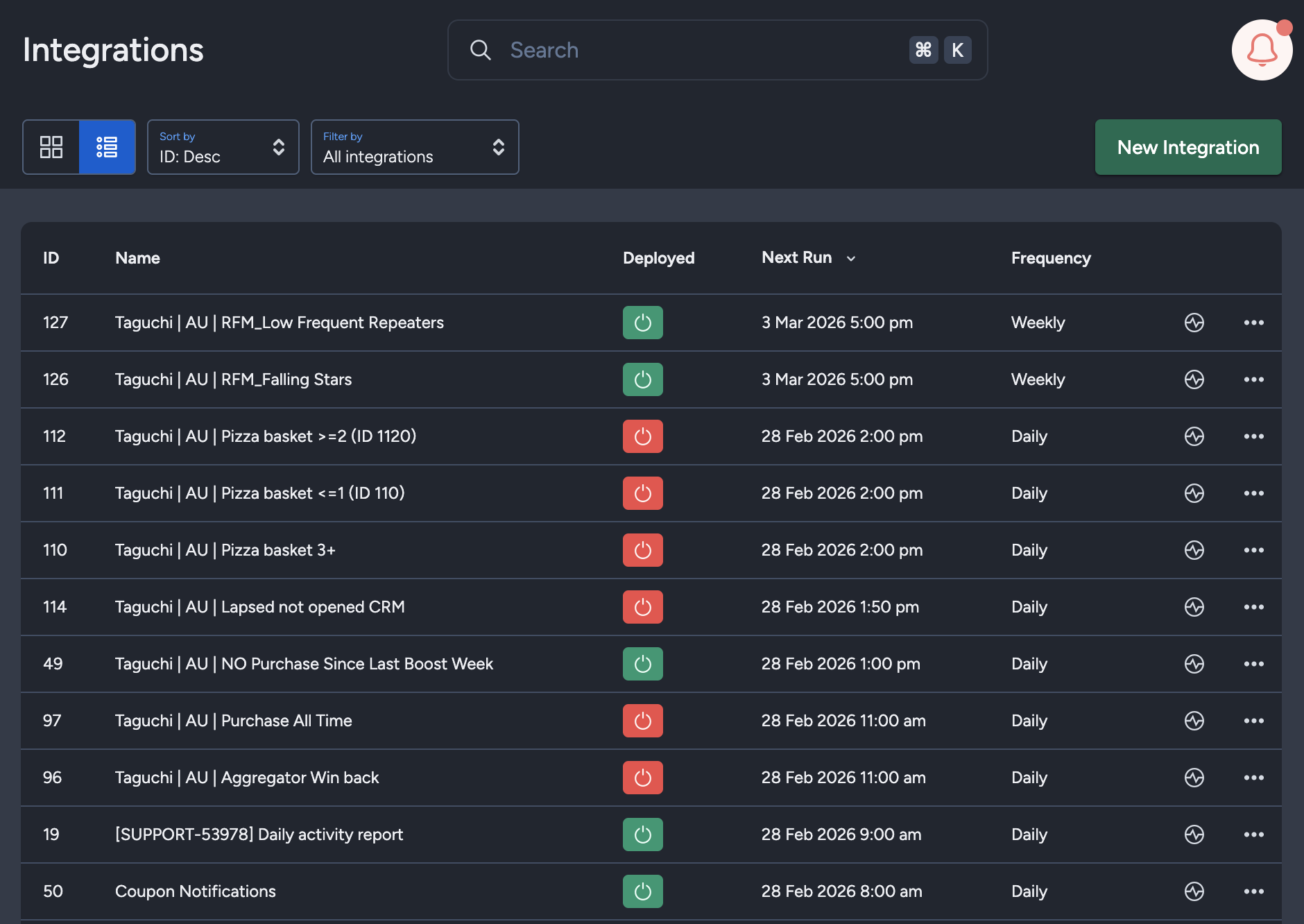
The Integration UI provides visibility into integration schedules by displaying the scheduled frequency and the time of the next run when hovering over the status icon. Adding to that, the integration UI supports list view with sortable columns so you can see the next run timestamp and frequency there too.. This helps users quickly check when integrations are scheduled to execute and manage them more efficiently.
Save Changes and Activate
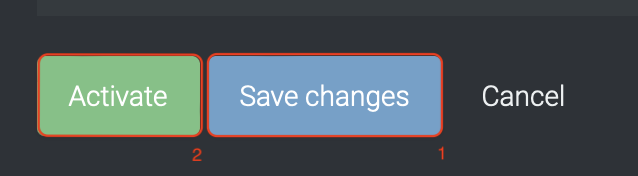
Once your integration details and configurations are complete:
- Save changes
- Activate the integration
You can only activate after saving.
Deactivate
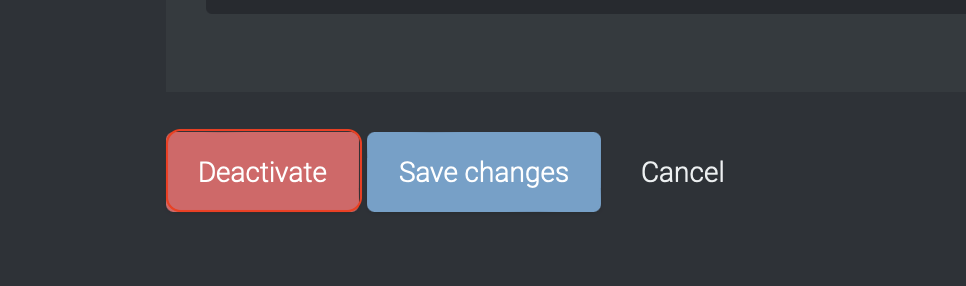
To stop the integration, click Deactivate.
This will disable the connection between Taguchi and your SMS provider.
Active Integration Status
Once activated, the integration icon changes color:
- 🟢 Green: Active / Deployed (or awaiting scheduled run)
- 🟡 Yellow: Deactivated
- 🔴 Red: Deployment failed
Updating an Integration

You can update integrations while active or inactive.
After editing, click Save changes — the update will take effect immediately.
Troubleshooting Measures
- Verify all inputs (e.g., credentials, URLs, IDs) — incorrect data may cause failures.
- If the integration fails to deploy or data doesn’t sync, double-check your credential permissions.
- If SMS delivery failures are higher than expected, review your SMS Activity Report for Bounced and Bounce rate (%) and verify source phone-number quality.
For further assistance, please contact Taguchi Support.