- Support Home
- Knowledge Base
- Account Management
- User Management
- Adding partition users
Related articles
Need some help?
If you have questions or can't find what you're looking for, we're here to help.
Taguchi Support is available 24 hours a day, Monday to Friday.
Create New TicketTaguchi Certified Training
Join our free and live online training sessions. You'll benefit from a better understanding of the platform's features and functionality. Plus with Taguchi Certified Rewards, every session you attend, you're not just learning - you're earning your way to some fantastic rewards.
About Taguchi Certified RewardsAPI Version 5
Did you know Taguchi has an API that supports all of the functionality provided by the admin interface and more?
Explore API Documentation
Thanks for your feedback!
Adding partition users
Partition users in Taguchi are users who access the platform scoped to specific partitions (rather than the full head office view).
Lifecycles require organisation-wide access and are not available to partition-restricted users. Assigning Edit Lifecycles or Deploy Lifecycles does not remove this restriction.
What they are: Partition users are typically store owners or local/regional users who are set up as Base Users with one or more partitions assigned to them. This gives them access to only the content and activities relevant to their partition(s).
What they can do: With the opt-in management feature enabled, partition users can opt in or out of activities and manage content blocks within their partition.
How they're set up: You create them as a Base User (no database or integration roles), then assign their relevant partition(s) under Partition Sets.
- Log in to Taguchi as a head office user (administrator with 2FA enabled)
- Head to Settings (bottom left) > Users.
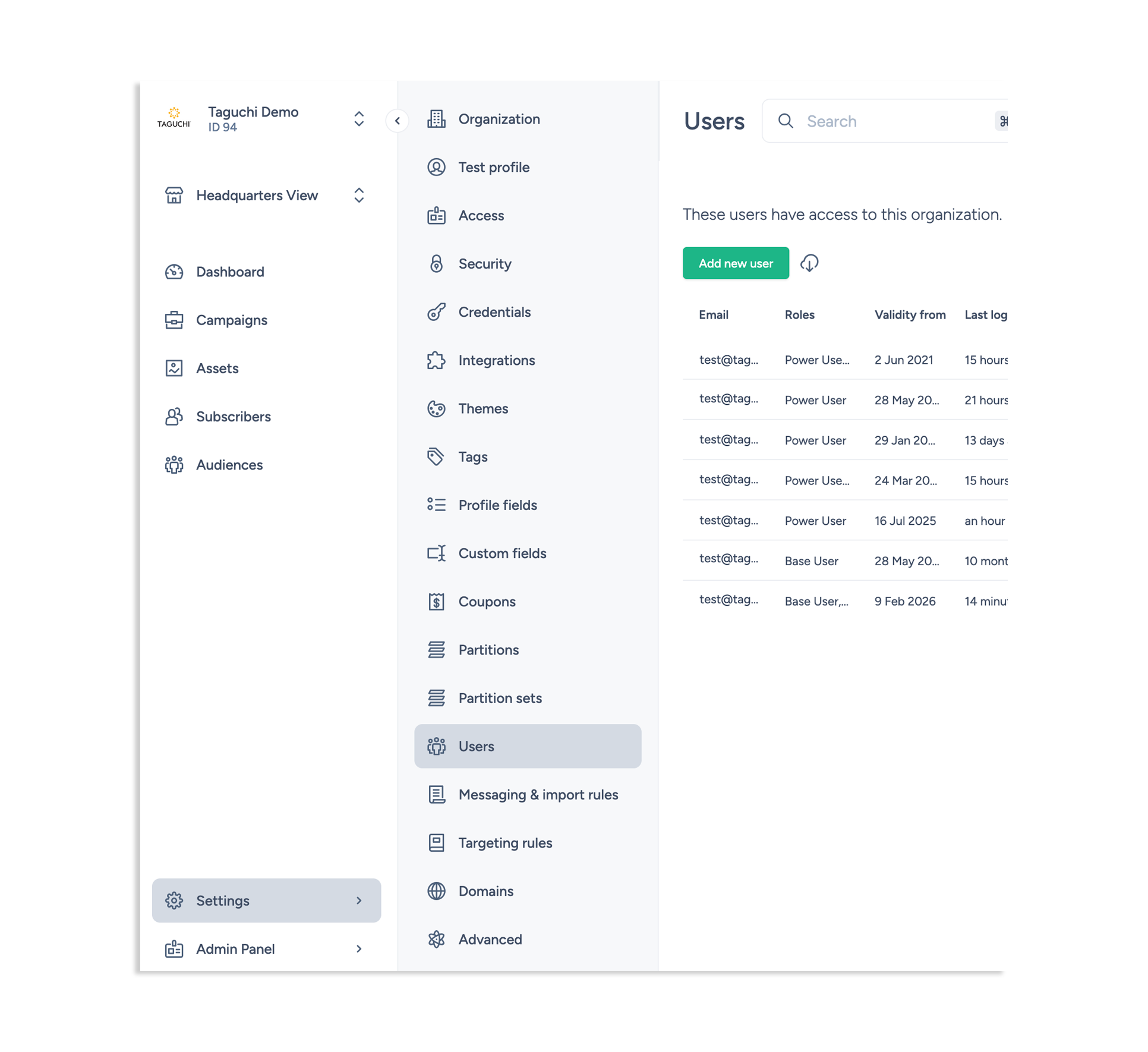
- Click on 'Add new user'
- Add in the details that appear on the new user screen:
- Email: the store owner's email address
- Mobile: the store owner's mobile number. This is a required field.
- User type: Select Base User. This will enable them to carry out opt-in and out management for content and activities.
- Content roles: Leave unselected.
- Database roles: Leave unselected.
- Integration roles: Leave unselected.
- Partition sets: Use the filter field to search for partitions. Select the relevant partition(s) to allocate to the user.
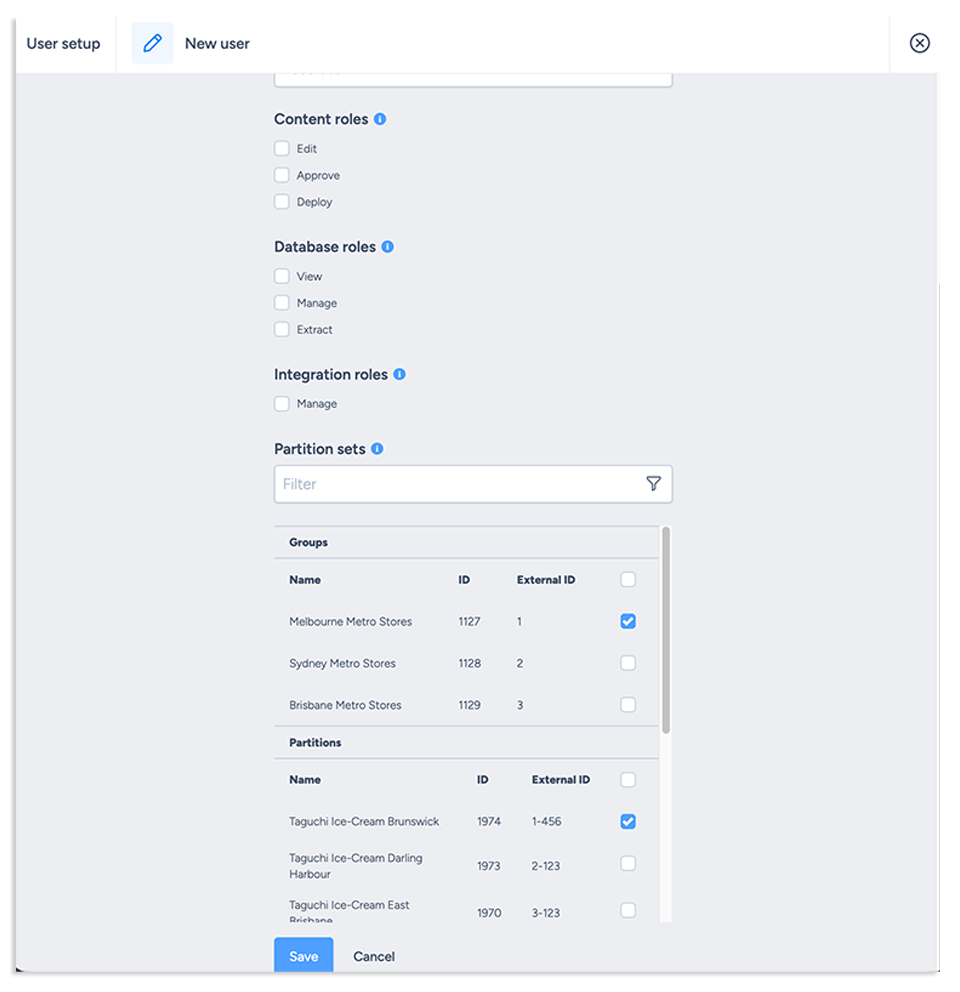
- Click Save
- The new user will then receive an email from Taguchi to set up their account.
Note: While you can allocate the same partition to multiple partition owners, this does mean that multiple people can make changes for the same partition. This can lead to errors and hence is not best practice.
For a user accessing Taguchi as a partition owner into the partition view of the platform, setting them up as a base user and assigning relevant partitions is how you can enable them with campaign opt-in and opt-out rights. All other user types and privileges continue to stay the same for head office and partition view users.
If you have additional questions or require further assistance with setting up partition users, do not hesitate to reach out to Taguchi Support