- Support Home
- Knowledge Base
- Tracking And Reporting
- Bounces
- Extracting bounce reasons from Taguchi
Related articles
Need some help?
If you have questions or can't find what you're looking for, we're here to help.
Taguchi Support is available 24 hours a day, Monday to Friday.
Create New TicketTaguchi Certified Training
Join our free and live online training sessions. You'll benefit from a better understanding of the platform's features and functionality. Plus with Taguchi Certified Rewards, every session you attend, you're not just learning - you're earning your way to some fantastic rewards.
About Taguchi Certified RewardsAPI Version 5
Did you know Taguchi has an API that supports all of the functionality provided by the admin interface and more?
Explore API Documentation
Thanks for your feedback!
Extracting bounce reasons from Taguchi
The bounce reasons extract can help identify why an email bounced and whether it was caused by invalid addresses, temporary issues, or blocking.
Bounce reasons extract columns
The 'Bounce reasons' csv extract contains the following column headers:
| Column | Description |
|---|---|
| subscriber_id | Unique Taguchi identifier |
| bounce_code | Numerical bounce code |
| bounce_reason | Plain text bounce reason |
| last_bounce_timestamp | Date and time in UTC |
| invalid_email_timestamp | Date and time in UTC (if applicable) |
For more information on why emails bounce, see Why does an email bounce?
Keep in mind that not all recipient mail servers provide detailed bounce reasons, and in some cases the information returned may be limited, which can make deeper analysis more challenging.
How to generate the bounce reasons extract
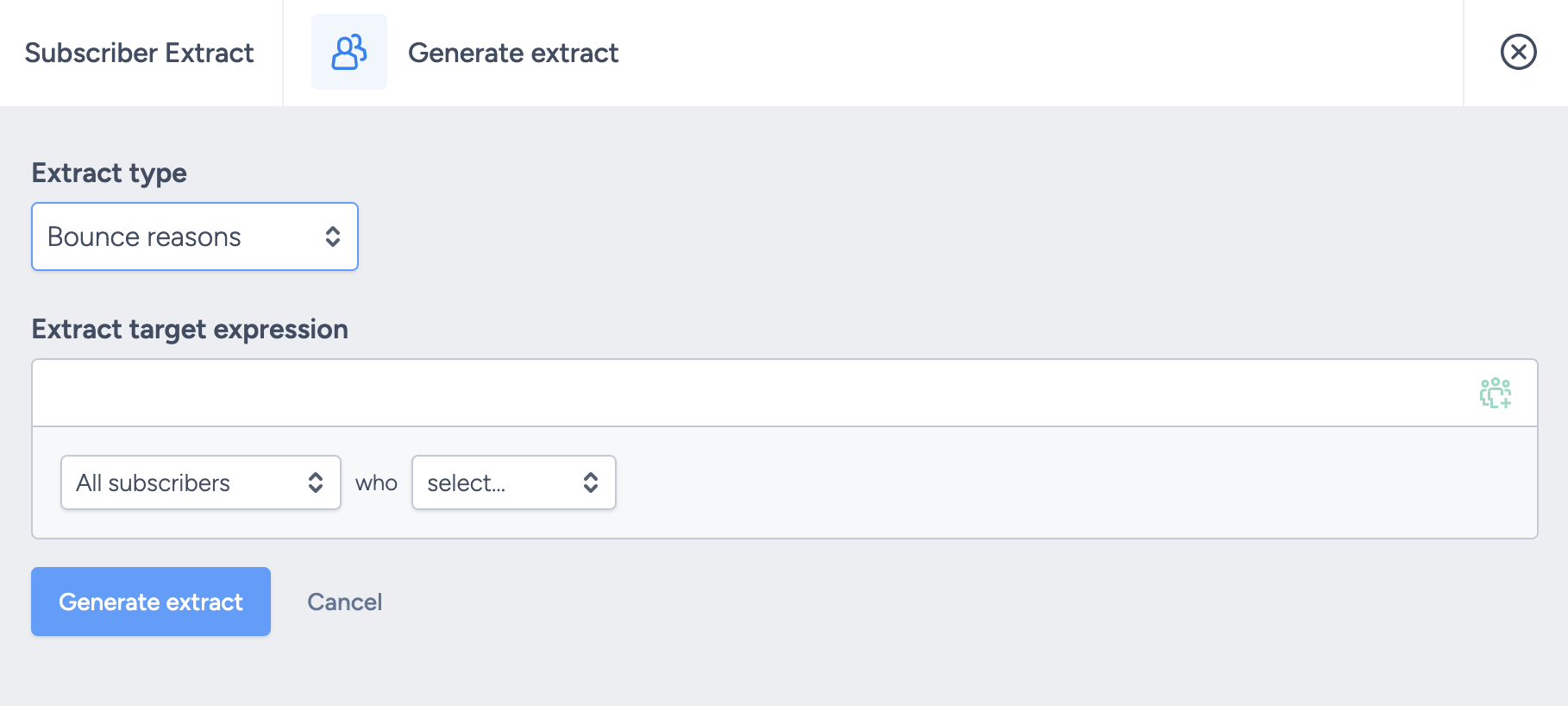
- Go to the Subscribers tab and click Run extract
- Select Bounce reasons in the extract type dropdown
- Input a target expression to capture your desired records
- Click Generate extract
The file will generate in the background and be ready to download via the notifications tray.