- Support Home
- Knowledge Base
- Triggers And Automation
- Onboarding
- 2 Step Subscription
Related articles
Need some help?
If you have questions or can't find what you're looking for, we're here to help.
Taguchi Support is available 24 hours a day, Monday to Friday.
Create New TicketTaguchi Certified Training
Join our free and live online training sessions. You'll benefit from a better understanding of the platform's features and functionality. Plus with Taguchi Certified Rewards, every session you attend, you're not just learning - you're earning your way to some fantastic rewards.
About Taguchi Certified RewardsAPI Version 5
Did you know Taguchi has an API that supports all of the functionality provided by the admin interface and more?
Explore API Documentation
Thanks for your feedback!
2 Step Subscription
This knowledge base article explains the two-step subscription process, including how subscribers move from the Not Confirmed Newsletter list to the Confirmed Newsletter list after completing the Double Opt-In (DOI) process. It also outlines how Support can validate each stage of the subscription journey.
Step 1
- Customer clicks confirm to subscribe after placing an order.
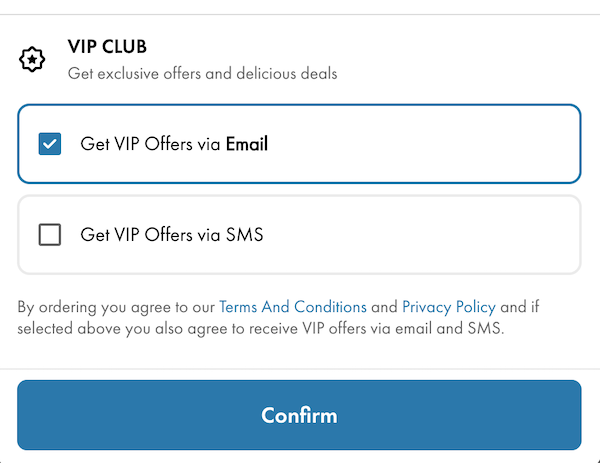
- An API call creates the customer's profile.
- The customer is subscribed to the Not Confirmed Newsletter list.
- The Double Opt-In (DOI) email is automatically sent.
- The customer remains on the Not Confirmed Newsletter list until they confirm their subscription.
Step 2
- Customer receives the confirmation email.
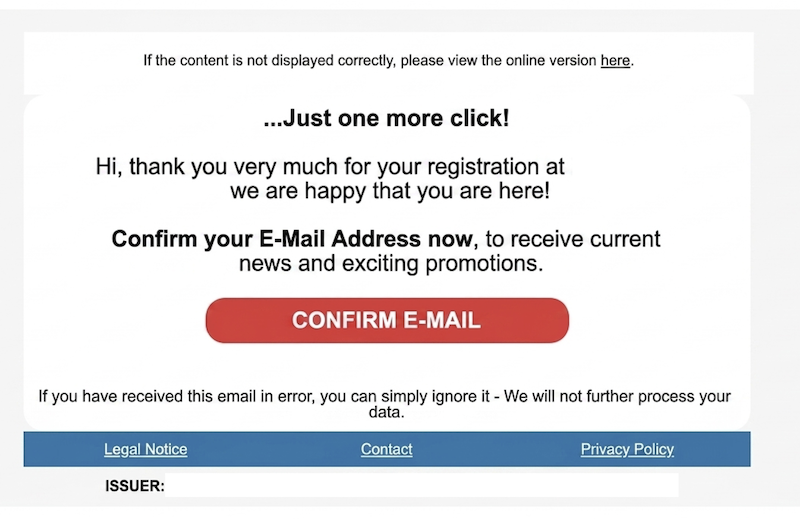
- The customer clicks the Confirm Email button in the DOI email.
- Taguchi unsubscribes the customer from the Not Confirmed Newsletter list.
- Taguchi subscribes the customer to the Confirmed Newsletter list.
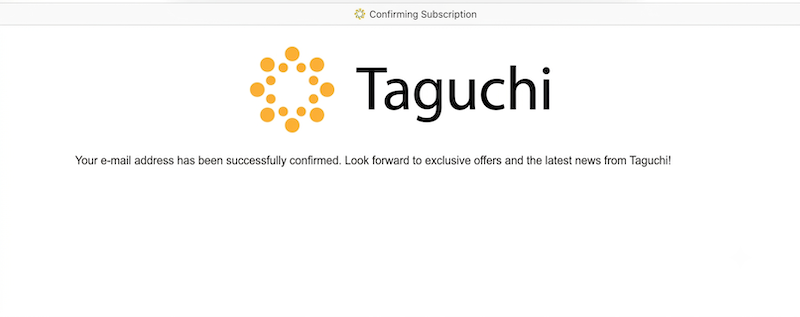
- Customer is directed to the landing page.
Validation Steps for Support
Step 1 – Customer submits their subscription
Support can validate that:
- The customer profile has been created in Taguchi.
- The customer has been subscribed to the Not Confirmed Newsletter list.
- The Double Opt-In (DOI) email activity has been triggered and sent.
- The customer has not yet been added to the Confirmed Newsletter list.
Expected result: The customer exists in Taguchi and is only subscribed to the Not Confirmed Newsletter list.
Step 2 – Customer confirms their subscription
After the customer clicks the Confirm Email button in the DOI email, Support can validate that:
- The confirmation landing page loads successfully.
- The customer has been removed from the Not Confirmed Newsletter list.
- The customer has been subscribed to the Confirmed Newsletter list.
Expected result: The customer is no longer subscribed to the Not Confirmed Newsletter list and is now subscribed to the Confirmed Newsletter list.
💬 For further assistance, contact Taguchi Support.