- Support Home
- Knowledge Base
- Campaigns And Activities
- Content
- Single-Use Coupons to Assets Pairing
Related articles
Need some help?
If you have questions or can't find what you're looking for, we're here to help.
Taguchi Support is available 24 hours a day, Monday to Friday.
Create New TicketTaguchi Certified Training
Join our free and live online training sessions. You'll benefit from a better understanding of the platform's features and functionality. Plus with Taguchi Certified Rewards, every session you attend, you're not just learning - you're earning your way to some fantastic rewards.
About Taguchi Certified RewardsAPI Version 5
Did you know Taguchi has an API that supports all of the functionality provided by the admin interface and more?
Explore API Documentation
Thanks for your feedback!
Single-Use Coupons to Assets Pairing
Previously, Single-Use coupons could only be paired to activities. We’ve now introduced a feature that allows coupons to be paired directly to assets. Please refer to this article as reference.
This enhancement provides several key benefits:
More granular control over coupon distribution, as codes are allocated based on the target expression of the asset instead of the full activity’s target expression.
Reusable assets, allowing the same asset to be used across multiple email activities for a more efficient build process.
A coupon-paired asset must not reuse the same coupon type across different deployment categories. If the asset is needed in an API trigger, real-time trigger, event-based or scheduled trigger, and/or broadcast, create a separate asset and coupon type for each category. See Reusing a coupon type across activities.
Simplified management, since edits only need to be made once at the asset level, rather than updating multiple activities.
This enhancement provides several key benefits:
Generic discount coupons that can be reused across different stores and timings in various promotional emails.
Post-purchase discount codes delivered at different touchpoints after an order is completed.
To learn more about our Coupons feature and how to create and upload them, you can read our dedicated Coupon Knowledge Base article here: What are coupons and how can I use them?
Pairing a Single-Use Coupon to an Asset
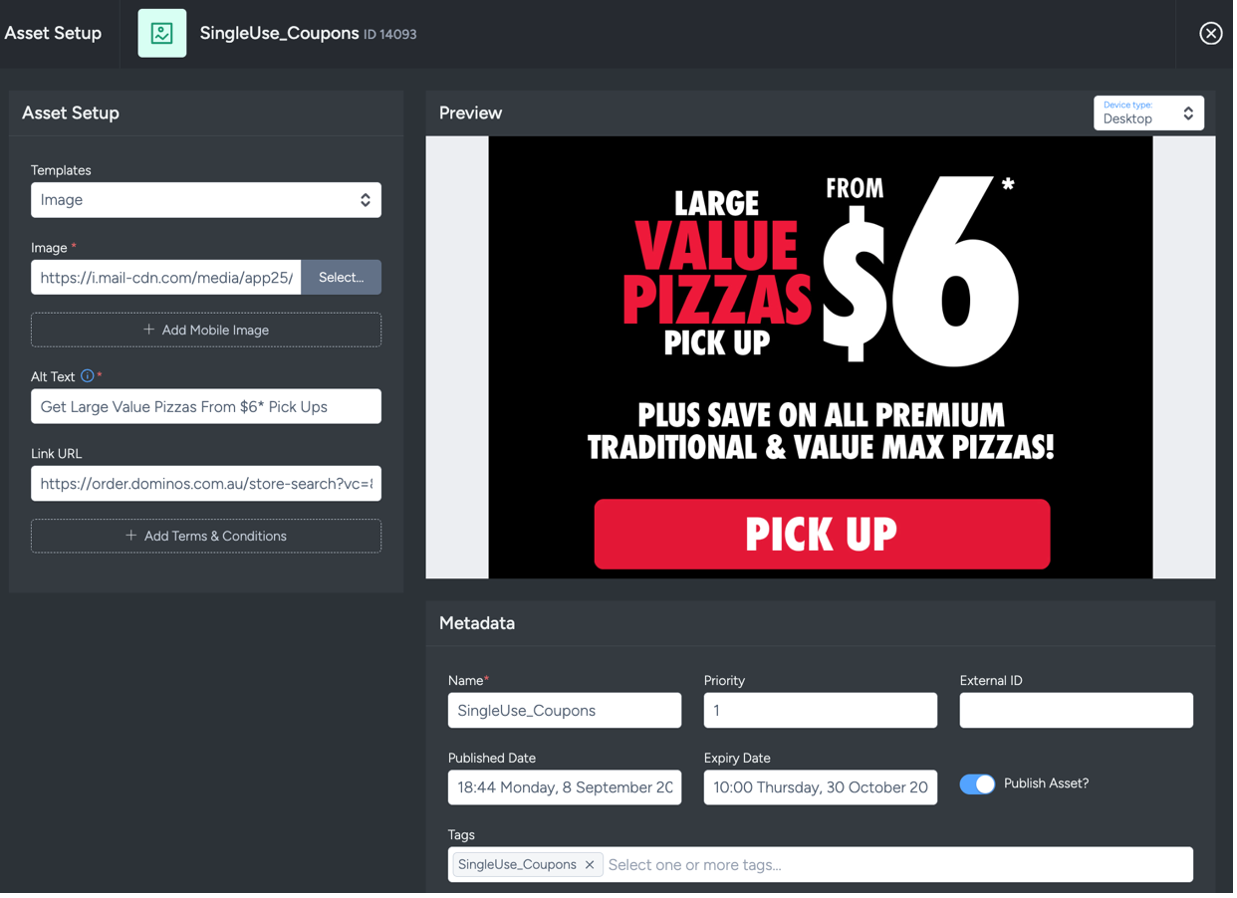
Navigate to the asset you want to pair Single-Use Coupons with; this feature is supported for all asset types.
In supported activities, selecting an asset opens the asset editor. This supports grids, blocks and legacy assets across email, web and IAM assets, and compatibility icons indicate where each asset can render.
Once the asset is set up with Metadata, Lifecycle and Tagging, set up the asset target.
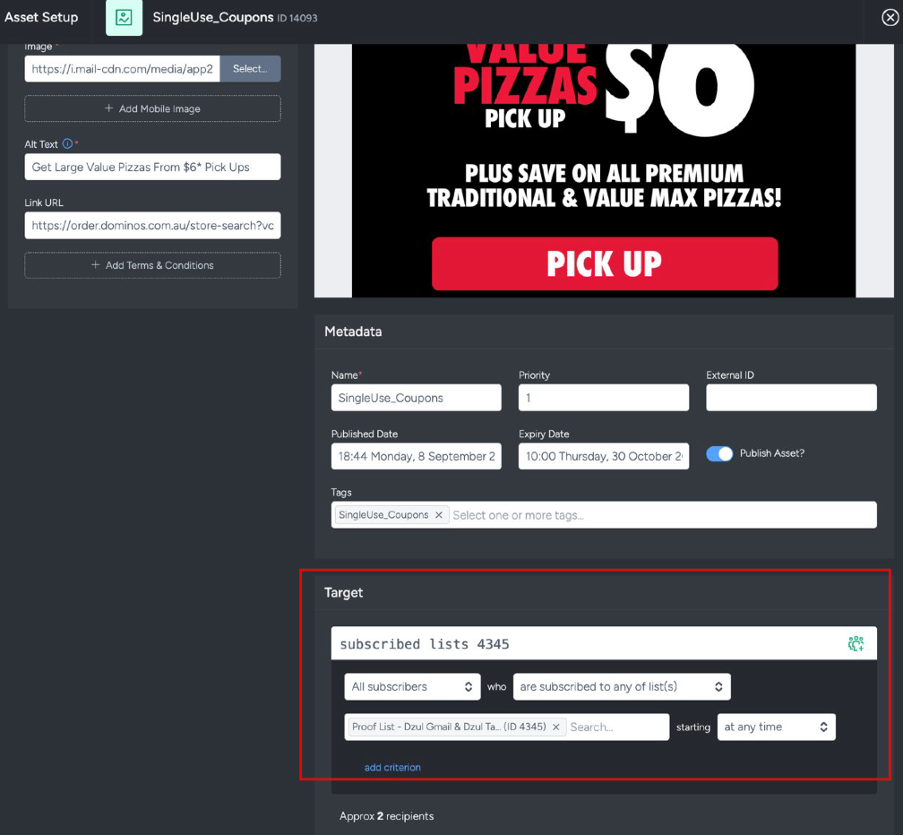
The Target section determines which subscribers receive the allocated coupons, as codes are only distributed to profiles that match the Target Expression defined here.
Once you've defined your asset targeting, select the 'Coupon Pairing' tab to continue.
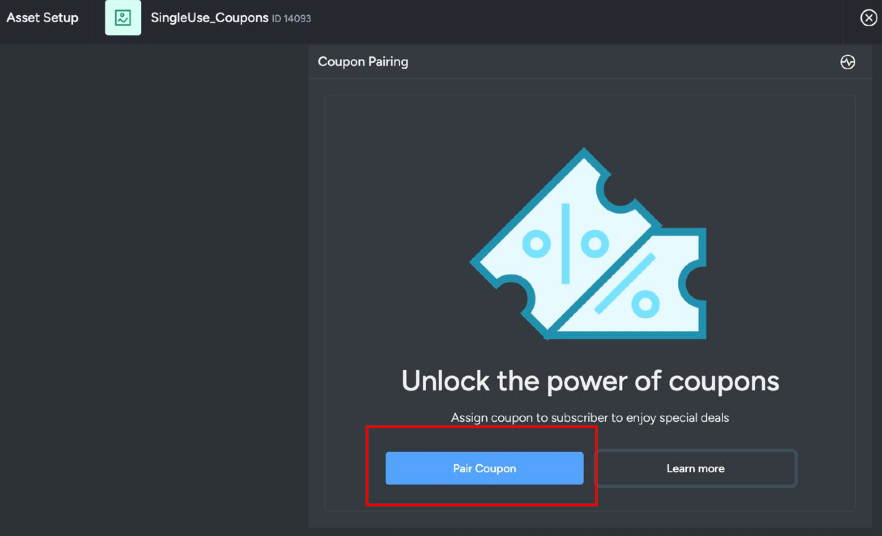
To begin pairing a coupon to this asset, click on the ‘Pair Coupon’ button.
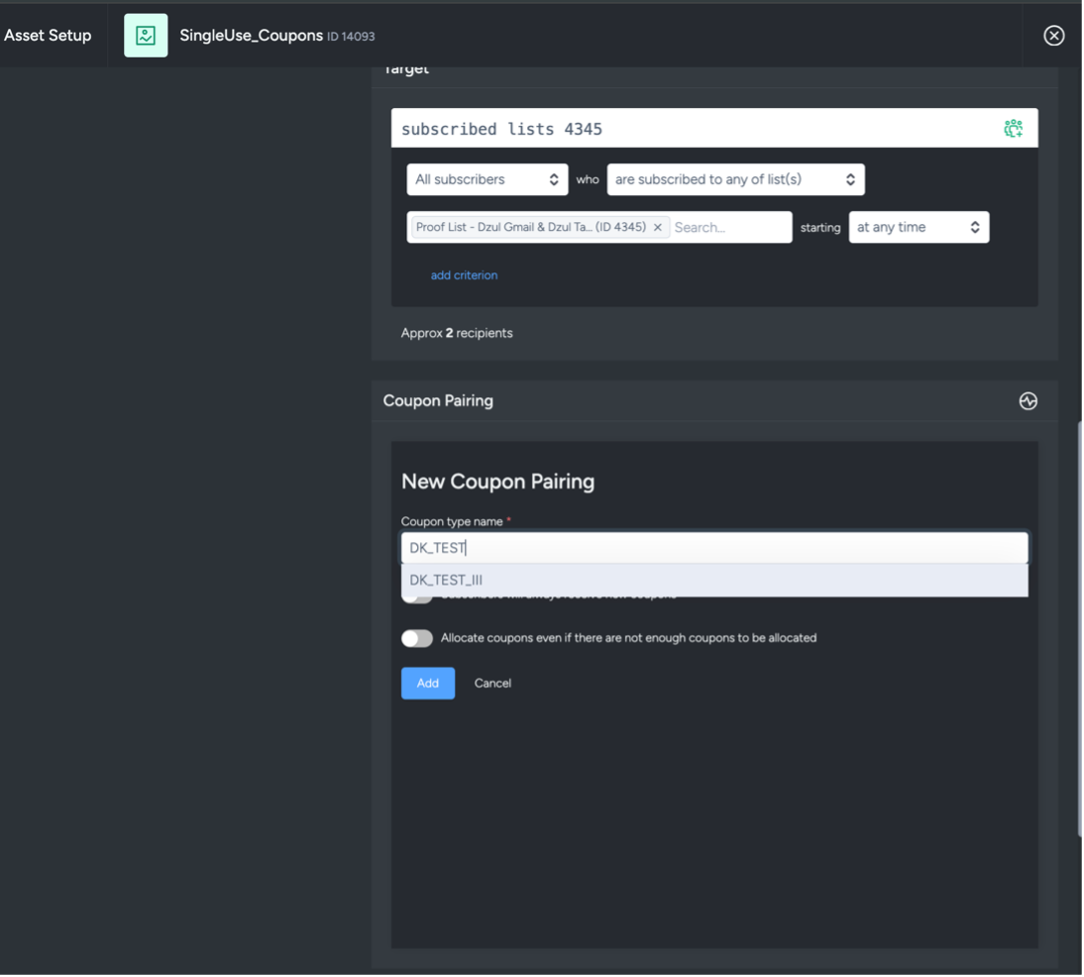
Enter the name of the coupon type you want to use, one that has already been created and has valid, active coupons uploaded into the Coupon Type Name field, then select it from the dropdown list.
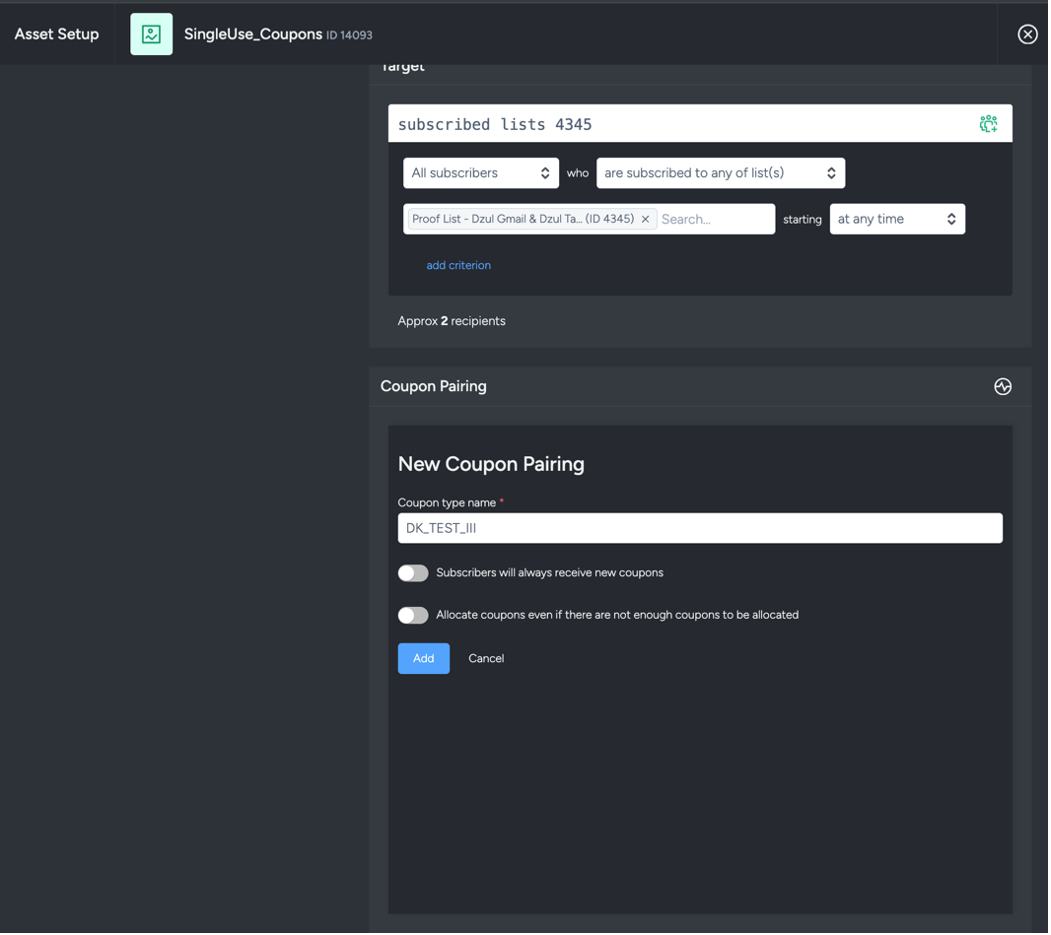
Toggles Explained

Subscribers will always receive new coupons
When on: For asset-level coupon pairing, subscribers retain their currently allocated coupon while it remains valid. Re-evaluating the asset’s target expression does not discard or replace the coupon. A replacement is allocated only after the existing coupon has expired or is no longer valid for issue.
When off: A coupon is allocated only to subscribers who do not already have one.
Allocate coupons even if there are not enough coupons to be allocated
When on: The Dynamic Asset will display in the email even if there are not enough coupons available.
When off: The Dynamic Asset will only display for subscribers who already have the coupon custom field on their profile.
Activity-level vs asset-level allocation
Activity-level coupon pairing can issue a new coupon on each send when configured to do so.
Asset-level coupon pairing reuses the subscriber’s currently valid coupon. Re-evaluating the asset does not allocate another coupon while the existing one remains valid.
A replacement coupon is allocated only when the existing coupon has expired or is no longer valid for issue.
Coupon allocation means assigning a code to a subscriber. Coupon redemption means the subscriber has used the code.
Reallocation and expiry
- Reallocation refers to issuing a replacement code after a previously allocated code reaches its valid-to/expiry point.
- If coupons are unavailable and the “allocate even if not enough” toggle is off, only subscribers who already have an allocated coupon can see the paired dynamic asset.
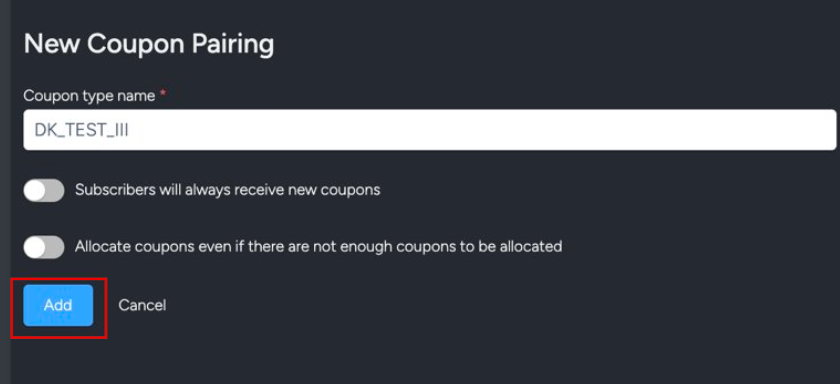
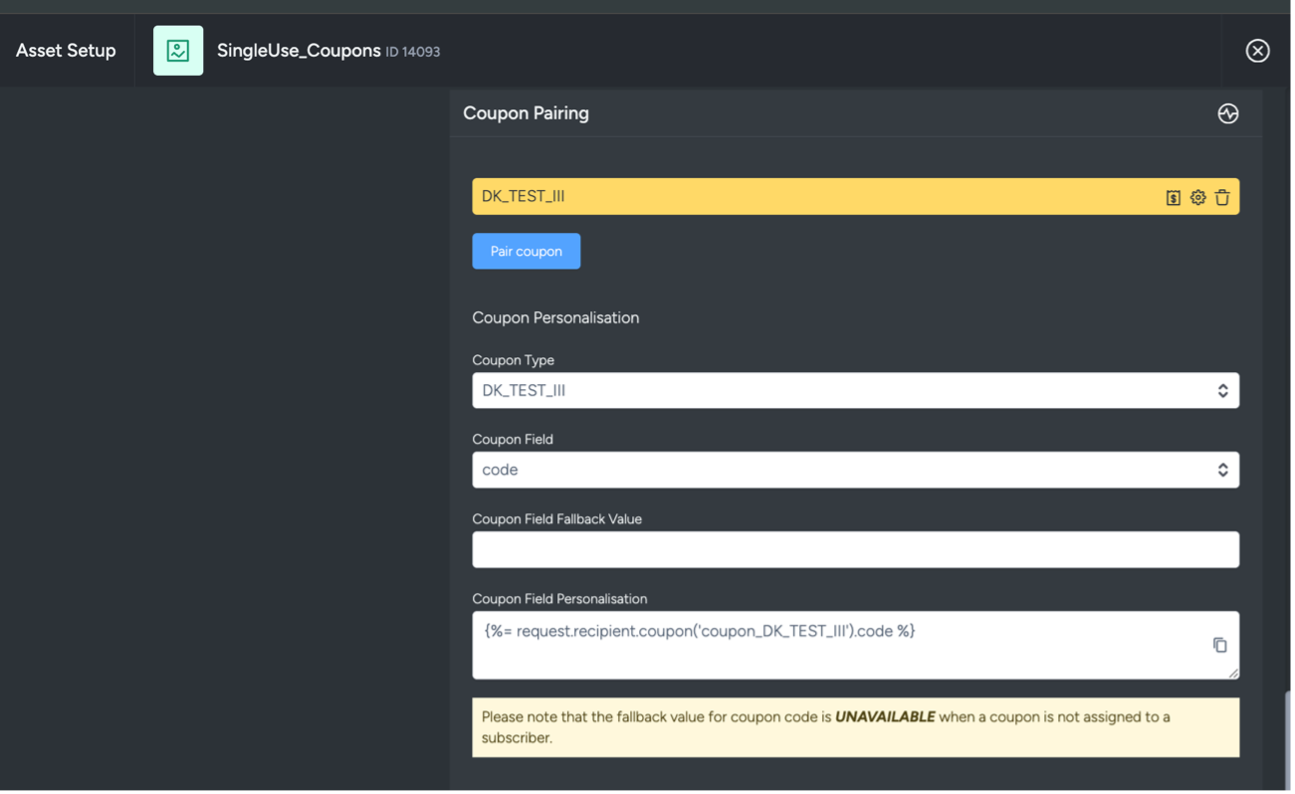
Click Add and the coupon will be added to the asset. You will now see the coupon personalistion options for that coupon.
This will show:
- Coupon Type
- Coupon Field
- Coupon Field Fallback Value
- Coupon Field Personalisation
If you have multiple coupons allocated to an asset, use the coupon type drop-down to select the coupon. The corresponding coupon fields will change based on what's selected.
Assets are saved automatically.
To check the coupon allocation status, re-open the asset and hover your cursor over the status icon.
You may see the following statuses:
Pending Coupon Allocation: Coupons are currently being allocated.
Coupon Allocated Successfully: Coupons have been successfully allocated.
Error — Not enough available coupons for coupon type: Shown when the Allocate coupons even if there are not enough coupons to be allocated toggle is off, and the number of available coupons is lower than the estimated subscriber count in the Target section.
Do note that the coupon-to-asset allocation process may take several hours to complete. For best results, perform the allocation at least one day before any upcoming activity is deployed.
Adding a Single-Use Coupon paired asset into an activity.
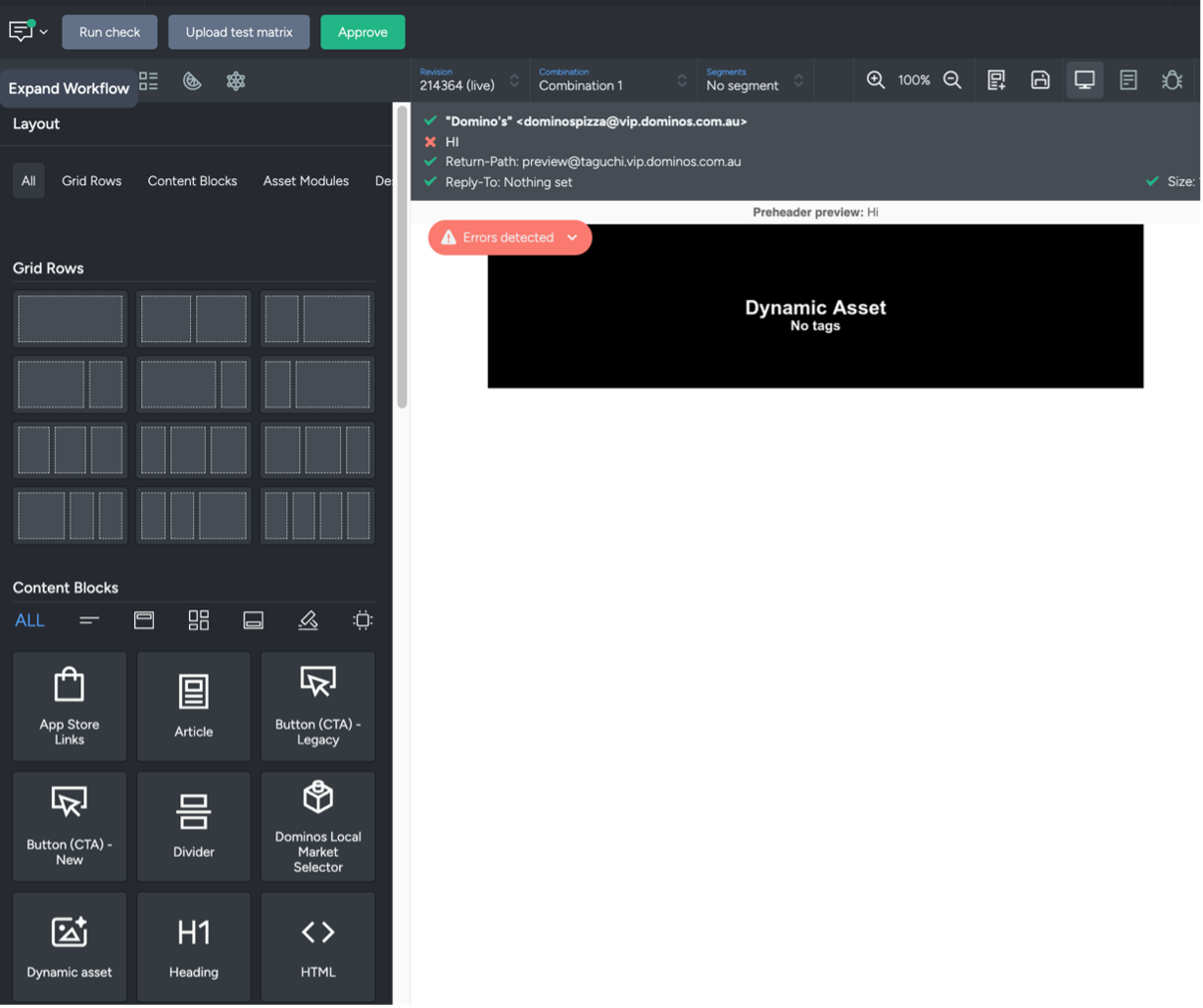
Create a new email activity or open an existing one, select a grid row, and drag a Dynamic Asset into that row.
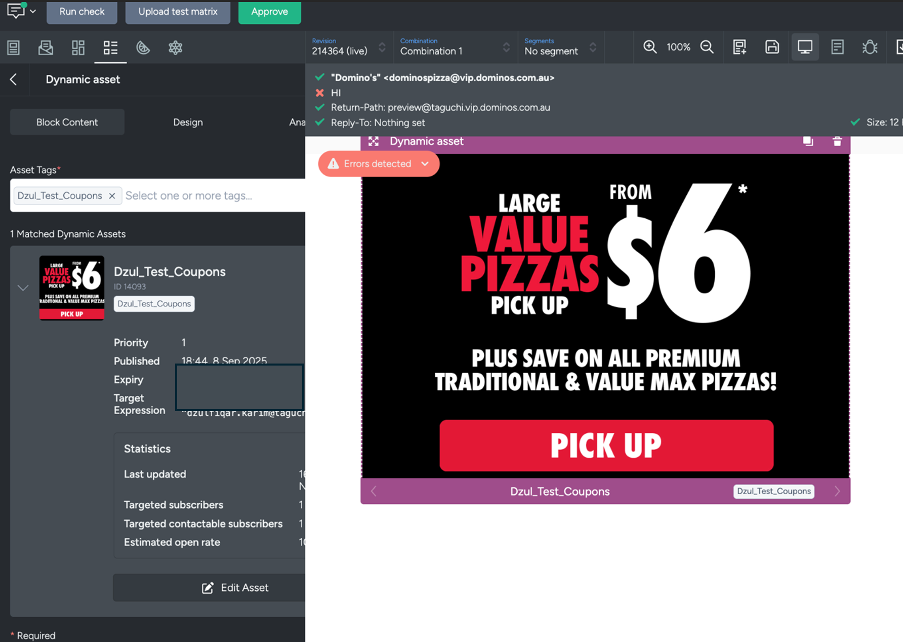
Type the Dynamic Asset Tag into the Asset Tags field, then select it from the dropdown list.
Your Single-Use-coupon–paired Dynamic Asset is now ready to be used in your emails.
Before adding the asset to another activity, confirm that the new activity is in the same deployment category as the other activities using its coupon type. Activities in different categories must use separate coupon types to avoid concurrent allocation errors.
It’s highly recommended to send proofs to yourself to review the email content and ensure everything appears correctly before deploying the activity.
If you have any questions about how to pair a Single-use coupon to an asset, feel free to contact Taguchi Support for further assistance.