- Support Home
- Knowledge Base
- Genichi Ai
- What is the difference between Genichi Chat and the Taguchi MCP Server?
Related articles
Need some help?
If you have questions or can't find what you're looking for, we're here to help.
Taguchi Support is available 24 hours a day, Monday to Friday.
Create New TicketAPI Version 5
Did you know Taguchi has an API that supports all of the functionality provided by the admin interface and more?
Explore API Documentation
Thanks for your feedback!
What is the difference between Genichi Chat and the Taguchi MCP Server?
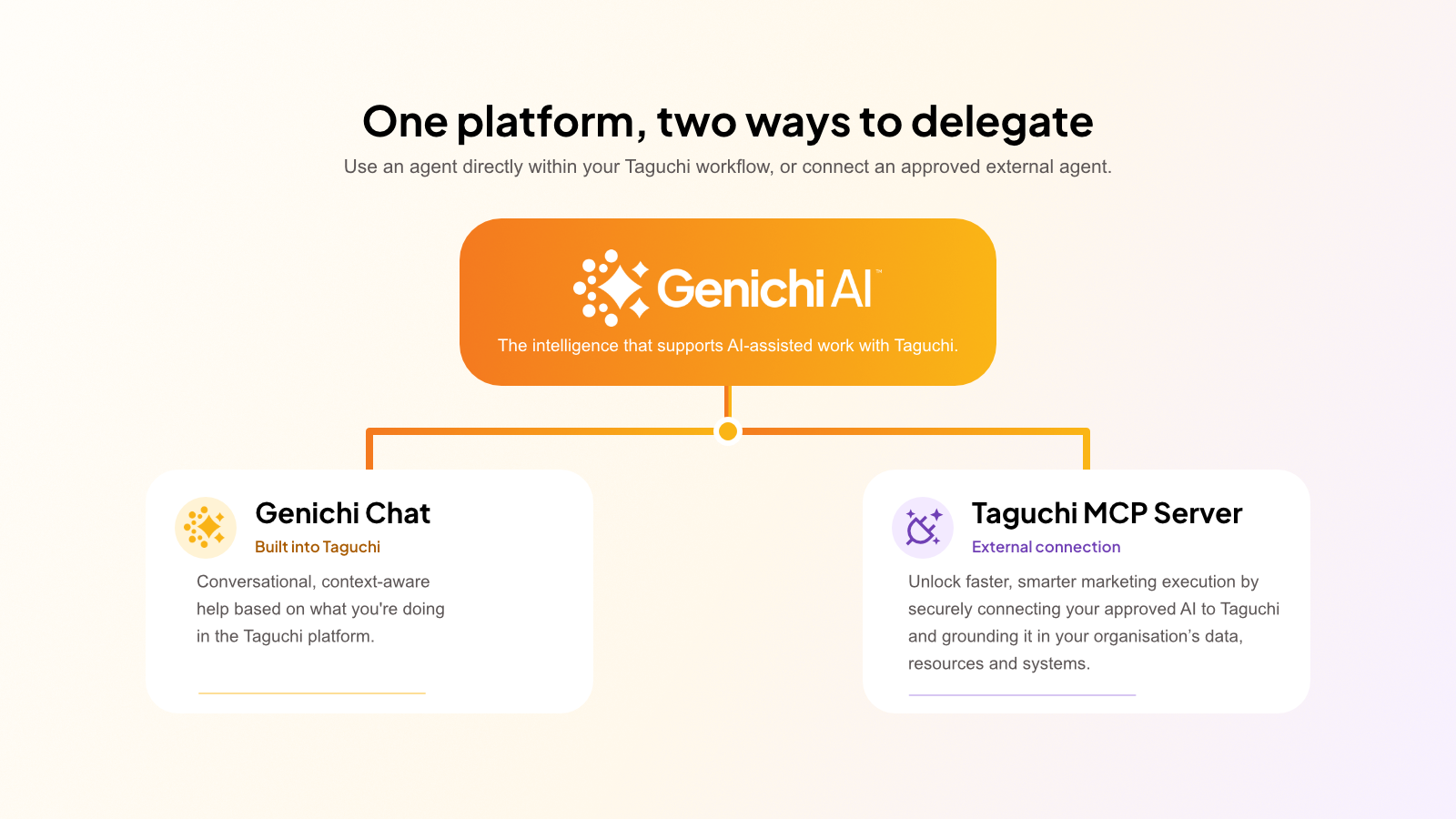
Genichi Chat and the Taguchi Model Context Protocol (MCP) Server both let you ask for help with Taguchi using natural language. The main difference is where you work and how broad the task is.
- Use Genichi Chat for Taguchi guidance, organisation analysis, campaign operations, technical implementation, and approved changes.
- Use the Taguchi MCP Server when you want an approved external AI agent to do deep statistical analysis, high-level strategic review, complex journey orchestration, or integration with other organisation MCP servers and assets.
A simple way to think about it is:
Genichi is the AI assistant inside Taguchi. MCP is the connection that lets other approved AI assistants work with Taguchi.
What is Genichi Chat?
Genichi Chat is Taguchi’s built-in AI assistant. It provides convenient, context-aware support for your tasks.
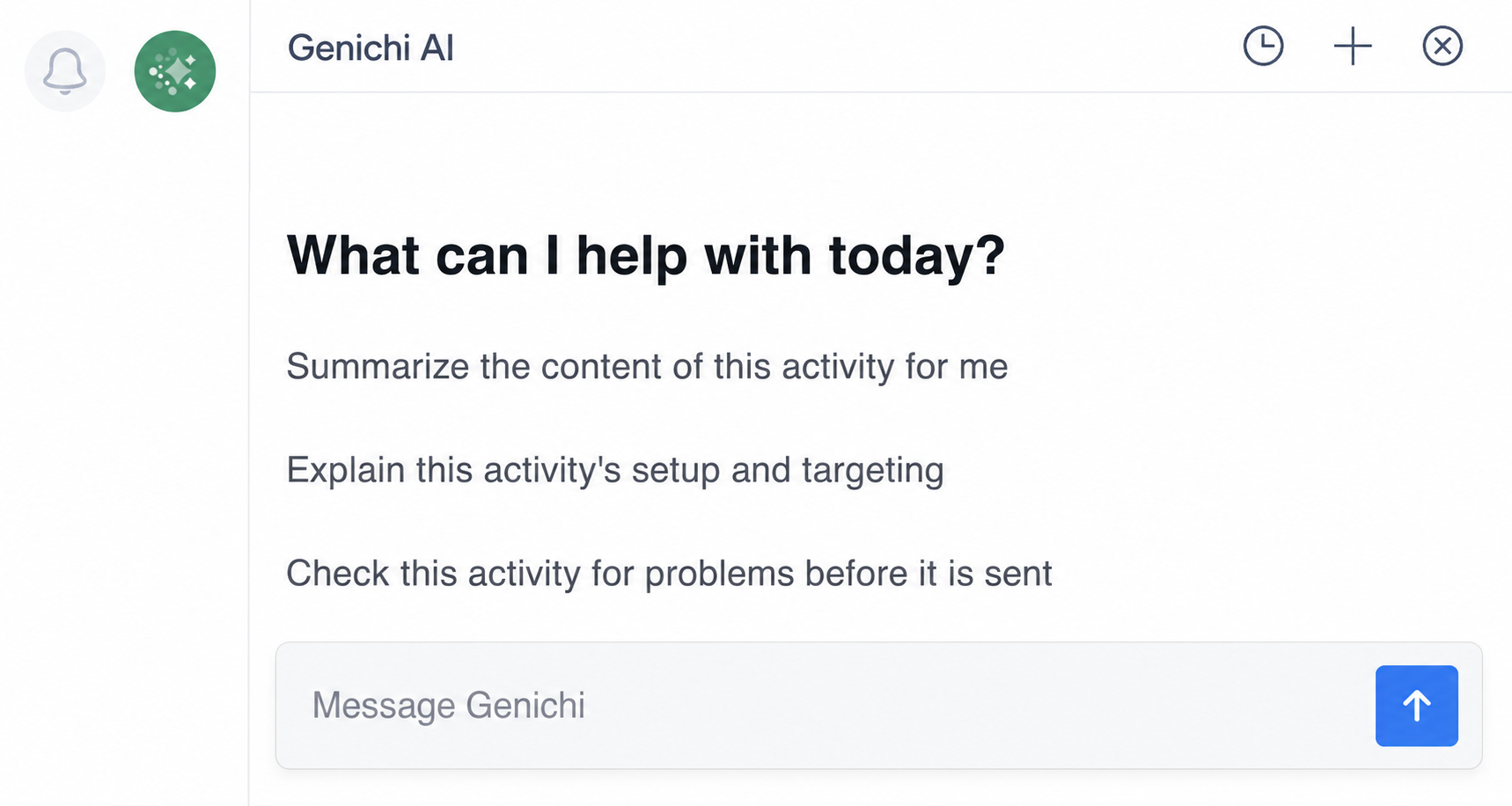
Choose Genichi when you want to:
- Ask a quick question about the work in front of you
- Understand a Taguchi feature or setting
- Brainstorm campaign or content ideas
- Generate or refine marketing copy
- Get guidance without leaving Taguchi or connecting another application
For example, you might ask Genichi:
- Suggest five subject lines that will increase click-through rates for this email.
- Review activity 12345 and check its targeting, content, links, sender settings, approvals, and schedule.
- Explain this setting in plain English.
- Help me improve this call-to-action text.
- Validate the activity's target expression.
Genichi is usually the best option when your task is focused, creative, or connected to what you are currently doing inside Taguchi.
What is the Taguchi MCP Server?
The Taguchi MCP Server lets an approved external AI application—such as an MCP-compatible AI agent—use supported Taguchi tools and reference information.
The external application provides the chat and AI experience. Taguchi provides the approved tools and data available through the connection.
Choose the MCP Server when you want to:
- Carry out complex and deep statistical analysis
- Carry out a high-level strategic review
- Create complex journeys
- Integrate with other organisation MCP servers and assets
Key differences
| Genichi Chat | Taguchi MCP Server | |
|---|---|---|
| Where you use it | Inside Taguchi | In an approved external AI application |
| Best suited to | Quick, focused assistance, broader structured tasks, campaign analysis, checking campaigns | Deep analysis, complex journey creation, strategic reviews |
| Context | Your Taguchi organisation and the page you are on | Can work across supported Taguchi resources and other approved context available to the external agent |
| Setup | Available where Genichi is enabled | Requires an authenticated MCP connection to the correct Taguchi organisation |
| Capabilities | Determined by the Genichi experience | Determined by the tools exposed through the MCP connection and your permissions |
Which one should I use?
Use this quick guide:
| If you want to… | Use… |
|---|---|
| Ask a quick question while working in Taguchi | Both |
| Draft or improve a subject line, heading, or call to action | Both |
| Get an explanation of a feature or setting | Both |
| Search across multiple Taguchi resources | Both |
| Compare campaign or activity performance | Both |
| Validate targeting or estimate an audience | Both |
| Run a detailed pre-deployment review | Both |
| Combine Taguchi information with approved files or other systems | MCP |
| Move from analysis to creative development | Both |
If you are still unsure, consider the size of the task:
- One focused question: start with Genichi.
- Deep statistical analysis: use MCP for the analysis and Genichi for in-product creative assistance.
Can I use both?
Yes. Genichi and an MCP-connected agent can support different stages of the same task.
Information does not necessarily transfer automatically between the two experiences. Provide only the minimum approved information needed, and use Taguchi resource IDs where possible.
Before you continue
The information and actions available through either option can depend on your Taguchi role, organisation, partitions, product configuration, and permissions.
Always review AI-generated work. Before approving a change, confirm the Taguchi organisation, audience, activity, content, links, destination, and exact proposed action.
Related articles
Need help?
If you need help choosing the right option for your workflow, contact Taguchi Support.