- Support Home
- Knowledge Base
- Genichi Ai
- Genichi Chat
Related articles
Need some help?
If you have questions or can't find what you're looking for, we're here to help.
Taguchi Support is available 24 hours a day, Monday to Friday.
Create New TicketAPI Version 5
Did you know Taguchi has an API that supports all of the functionality provided by the admin interface and more?
Explore API Documentation
Thanks for your feedback!
Genichi Chat
What is Genichi Chat?
Genichi Chat is Taguchi's built-in, context-aware AI assistant. It lets you ask questions and request help in natural language while you are working in Taguchi.
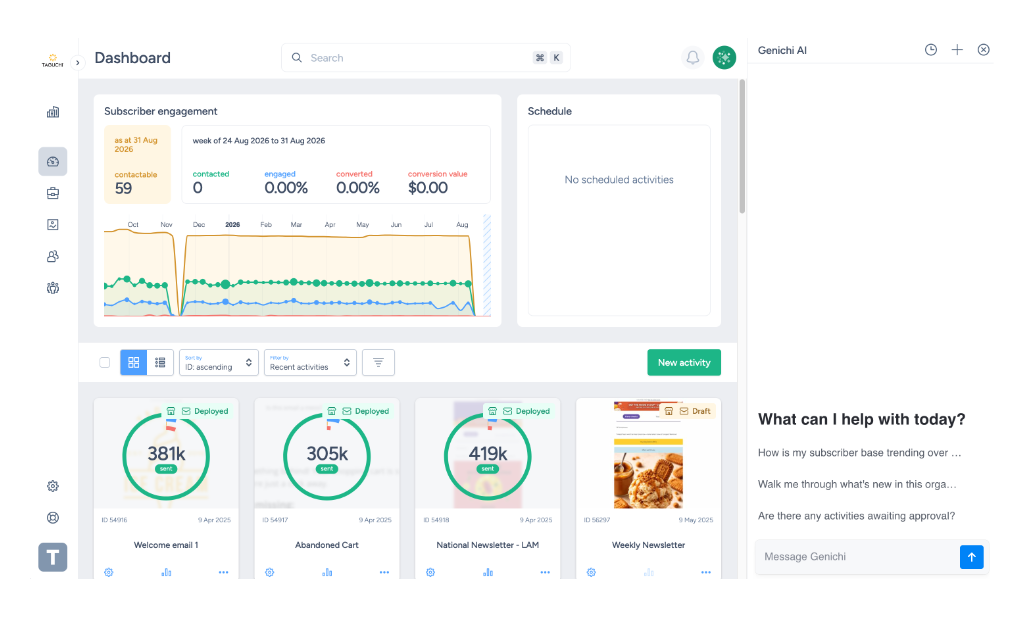
Genichi understands the context of your organisation and the page you're looking at. For example, if you have been reviewing an activity, editing content, or working with an audience, Genichi can use that recent context to give you a more relevant answer.
This means you often do not need to explain your work from the beginning. You can ask for help with the task in front of you, then continue the conversation with follow-up questions.
Important: Genichi can assist with your work, but you remain responsible for reviewing its output and confirming that it is accurate, appropriate, and consistent with your organisation's requirements.
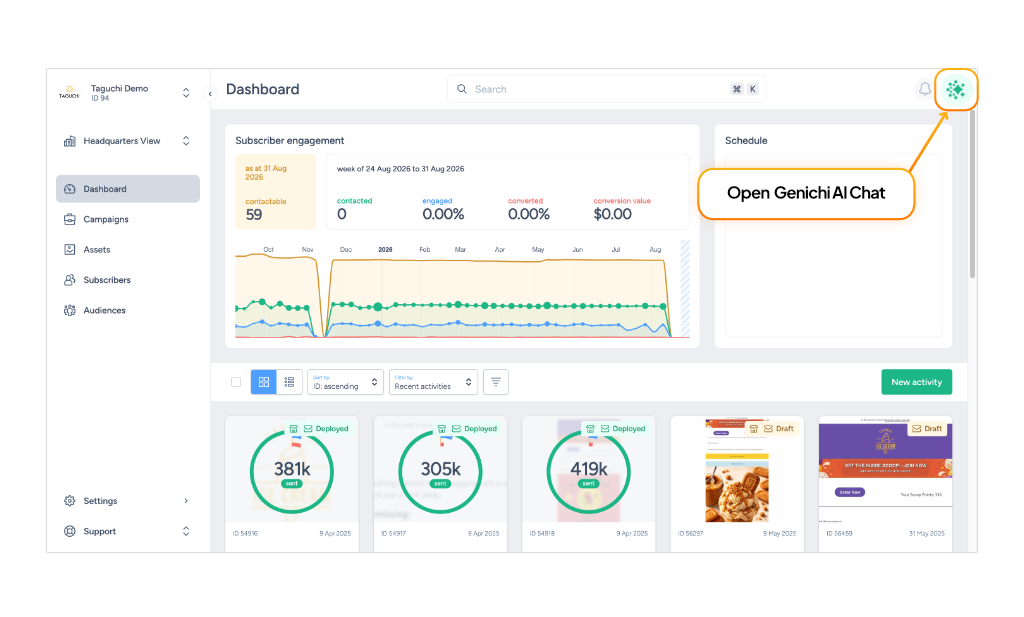
What can Genichi help with?
The features available through Genichi may depend on your Taguchi environment and permissions. Typical uses include:
- Answering questions about Taguchi features and concepts
- Explaining settings or terminology in plain English
- Explaining or summarising the Taguchi work you have recently been viewing or editing
- Brainstorming campaign themes and content ideas
- Drafting or refining subject lines, headings, calls to action, and other marketing copy
- Changing the tone, length, or style of existing copy
- Summarising information or content
- Suggesting practical next steps for a focused Taguchi task
Example questions
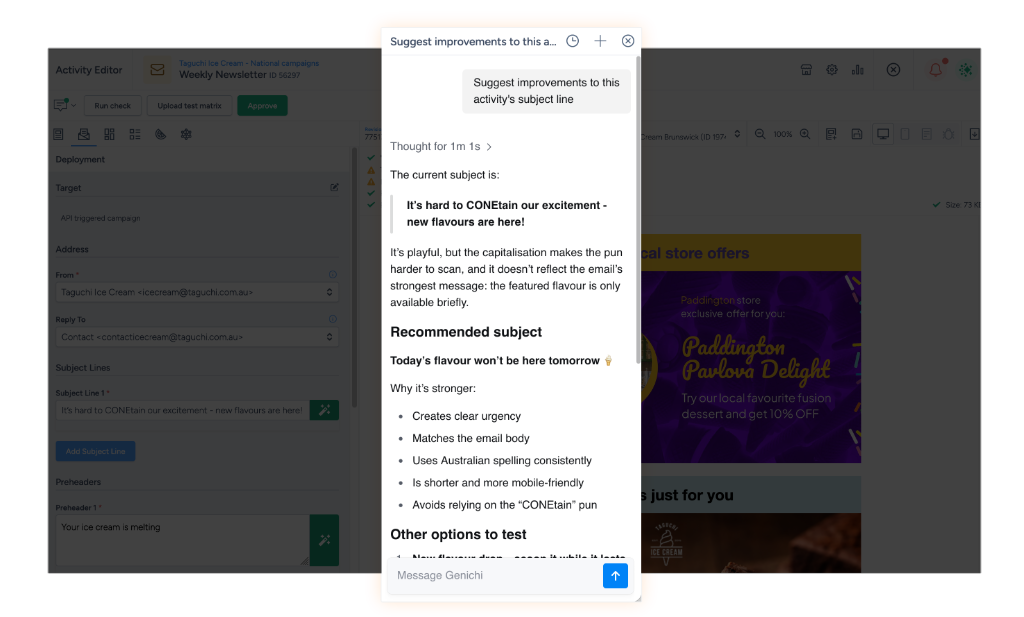
You might ask Genichi to:
- Explain the setting you have just been reviewing in plain English
- Summarise the activity you have been working on and suggest the next step
- Suggest five friendly subject lines for the email you have just edited, each under 45 characters
- Rewrite the current call to action so it is more direct without becoming pushy
- Identify anything you should check before approving the activity
You can then refine the answer with short follow-up instructions, such as “Make the second option shorter,” “Use a more professional tone,” or “Explain why you recommend that approach.”
How to get better answers
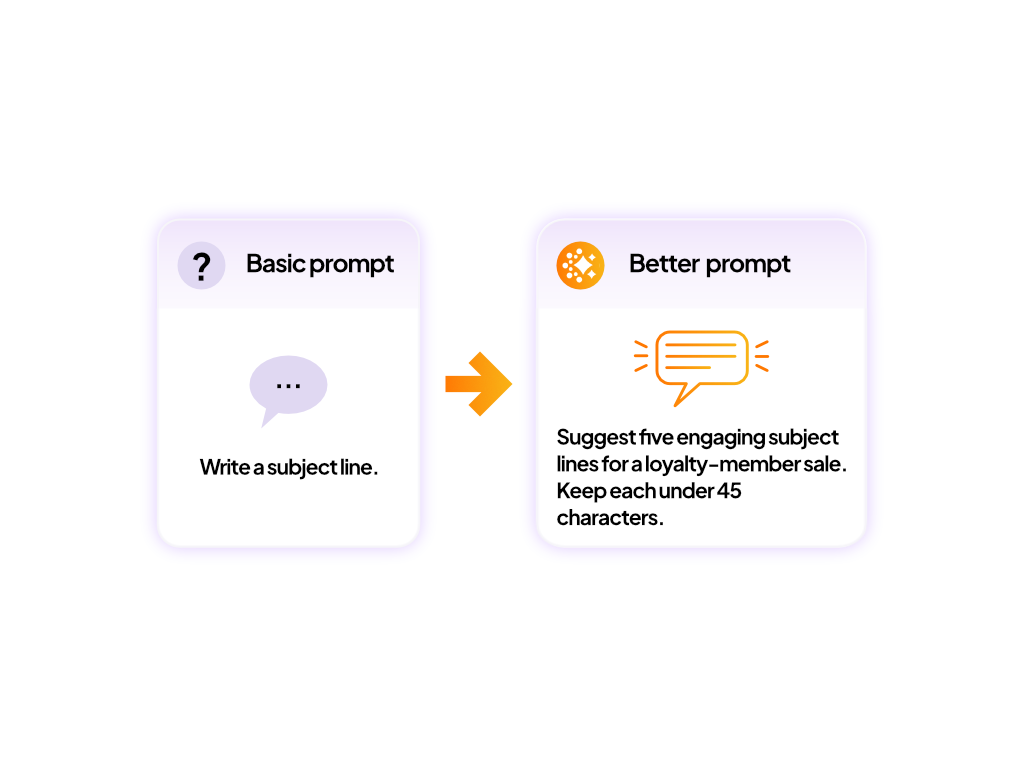
Genichi will usually provide a more useful answer when you add a clear outcome and any details it cannot infer.
Include details such as:
- The task: What do you want Genichi to produce or explain?
- The audience: Who will read or receive the content?
- The goal: What should the content or campaign achieve?
- The tone: Should it be friendly, formal, concise, urgent, or something else?
- The constraints: Include word limits, character limits, required wording, or information that must not be used.
- The format: Ask for a list, summary, table, draft, or step-by-step explanation if you have a preference.
For example, instead of asking Write a subject line, try: Suggest five friendly subject lines for this loyalty-member sale. The goal is to encourage early access. Keep each option under 45 characters and do not use all capitals.
When should I use Genichi?
Use Genichi when:
- You want help without leaving Taguchi
- Your question is focused on the task in front of you
- You want ideas, explanations, or help with content
- You want to validate activity setup, targeting, audiences, or personalisation
- You want to refine an answer through conversation
In cases where you want to do deep statistical analysis, high-level strategic review, complex journey orchestration, or integration with other organisation MCP servers and assets, use the Taguchi MCP Server.
What should I check?
AI-generated answers can be incomplete, unsuitable, or incorrect. Before using Genichi's output:
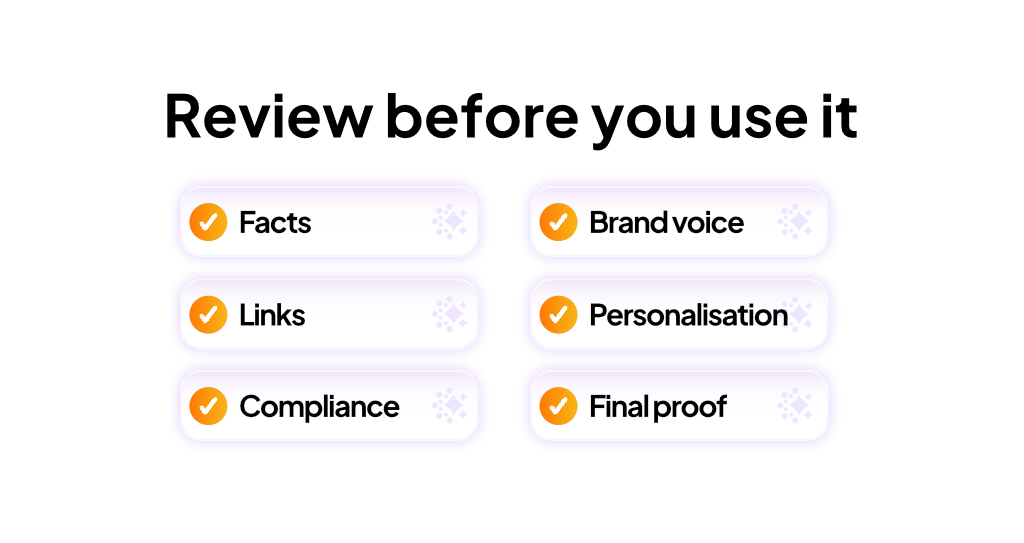
- Check important facts, dates, figures, and product details.
- Confirm that the content matches your brand voice and campaign brief.
- Review spelling, grammar, links, personalisation, and required legal wording.
- Make sure the result is appropriate for the intended audience.
- Confirm that targeting, consent, privacy, and communication requirements are satisfied.
- Review the final activity and proof before approval or deployment.
Do not include passwords, access tokens, private keys, session cookies, or other secrets in your request. Only provide personal or confidential information when it is necessary, approved, and permitted by your organisation.
Access and availability
Genichi's availability and capabilities may vary by environment, configuration, and user access.
If Genichi is unavailable or an expected feature does not appear:
- Confirm that you are signed in to the correct Taguchi organisation
- Reload the page and try again
- Check whether the feature is available to your account
- Contact your Taguchi administrator or Taguchi Support
Frequently asked questions
Does Genichi replace human review?
No. Genichi helps you develop and understand your work, but a person should review important content, decisions, and activity settings before they are used.
Will Genichi always give the same answer?
Not necessarily. AI-generated responses can vary. If the first answer is not useful, add more context, state your constraints, or ask Genichi to revise a specific part.
Can Genichi make changes for me?
This depends on the capabilities available in your environment. Review any proposed change carefully and confirm the exact activity, audience, content, and action before approval.
Is Genichi the same as the Taguchi MCP Server?
No. Genichi is the built-in Taguchi AI chat experience. The Taguchi MCP Server lets an approved external AI agent use supported Taguchi tools and resources.
Related articles
- Create and edit image assets with Genichi Chat
- Taguchi MCP vs Genichi chat
- Connect Taguchi to your approved AI agent
Need help?
If you need help with Genichi AI, contact Taguchi Support.