- Support Home
- Knowledge Base
- Web Forms
- Dynamic Assets in Webpages
Related articles
Need some help?
If you have questions or can't find what you're looking for, we're here to help.
Taguchi Support is available 24 hours a day, Monday to Friday.
Create New TicketTaguchi Certified Training
Join our free and live online training sessions. You'll benefit from a better understanding of the platform's features and functionality. Plus with Taguchi Certified Rewards, every session you attend, you're not just learning - you're earning your way to some fantastic rewards.
About Taguchi Certified RewardsAPI Version 5
Did you know Taguchi has an API that supports all of the functionality provided by the admin interface and more?
Explore API Documentation
Thanks for your feedback!
Dynamic Assets in Webpages
Creating Personalised Web Experiences with Dynamic Assets
One-to-one communication isn’t limited to Email and SMS. Dynamic assets allow you to deliver personalized content on webpages based on subscriber data and business rules. When used with Taguchi webpages and personalized URLs, each subscriber can be shown content that is most relevant to them.
Create the following tailored web experiences with dynamic assets:
- Personalised SMS offer landing pages – redirect customers to deals made just for them.
- Always on webpages with dynamic content.
- Tailored webpages for competitions and forms.
- Delivering unique coupon offers to subscribers.
What are dynamic assets?
Dynamic assets are assets stored in the Asset Library that can be displayed dynamically on webpages.
Key features:
- Use targeting, priority, and display pool tags
- Deliver personalised content based on subscriber profile data and business rules
- In supported activities, assets open in an the asset editor with compatibility icons to show where they can render (web, email, IAM)
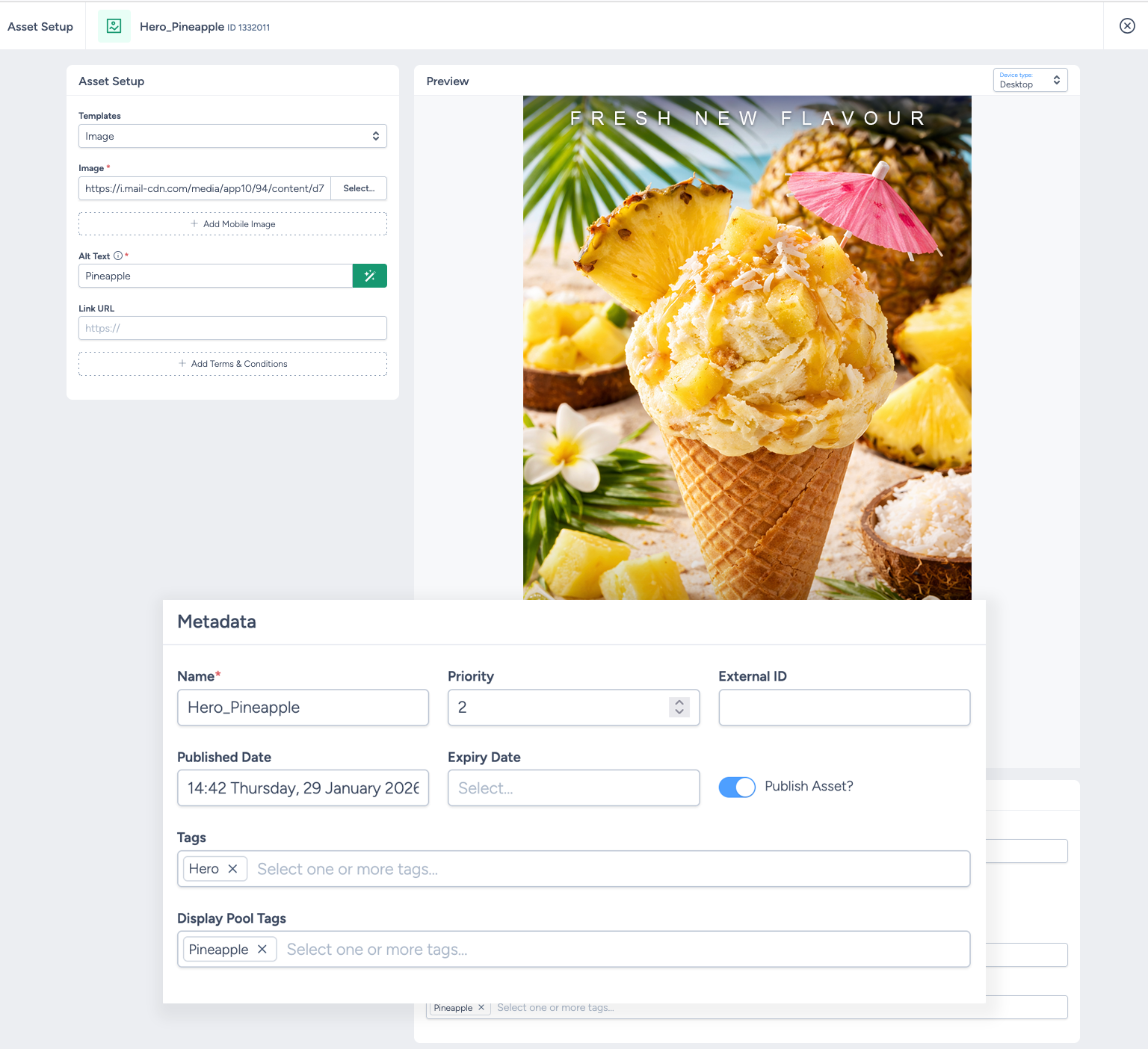
For more information on creating assets, check out our asset library article.
Taguchi webpages
Taguchi webpages are highly flexible and support dynamic and personalized content.
Key features:
- Drag-and-drop, fully customizable interface
- Support for personalization tags and dynamic content
- Suitable for content display or data capture (e.g. forms)
See our web activities guide for more information on how to set up webpages and webforms.
How to Create a Personalised Webpage Using Dynamic Assets
Step 1: Create a webpage
Create a new webpage or webform activity within Taguchi using the activity builder.
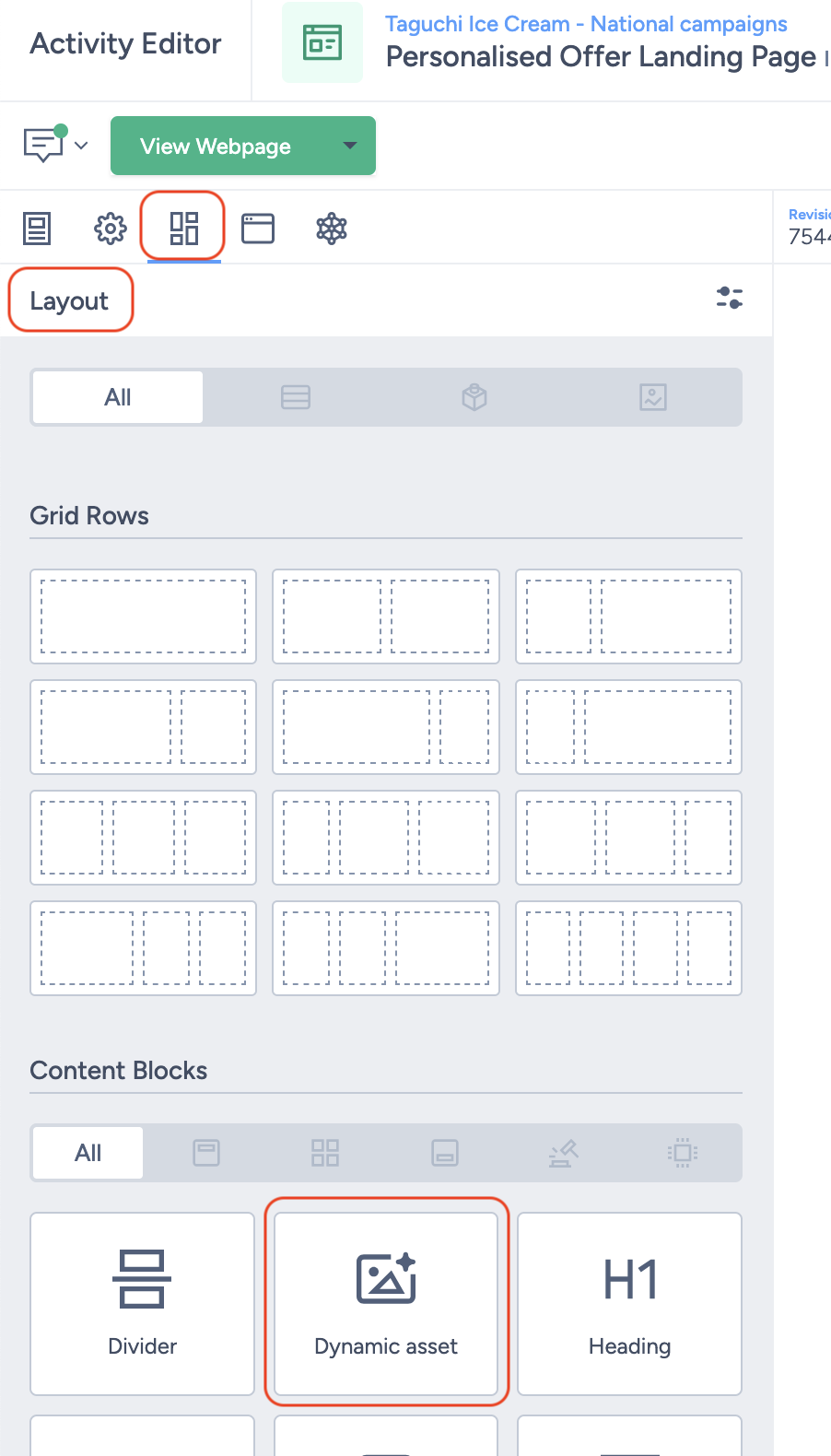
Step 2: Add a dynamic asset block
Add a dynamic asset block to your web activity using the activity editor.
Step 3: Apply Asset Tags
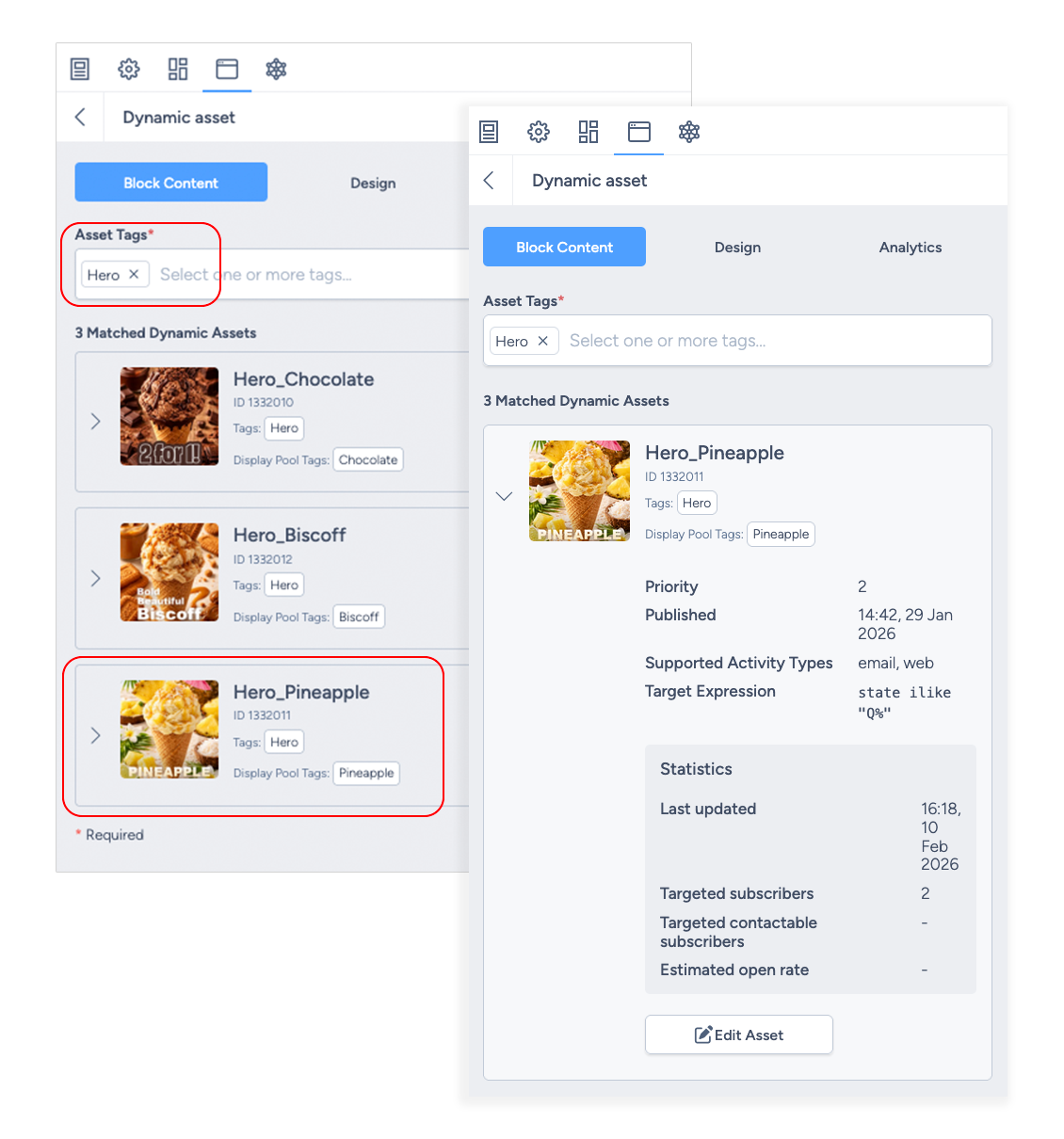
Add the asset tag(s) for the assets you want displayed in the block.
- All compatible assets matching the tag(s) will appear in the preview
- Multiple tags are OR-matched (one or more matching tags)
- You can toggle between assets to:
- Review how each asset displays
- Confirm asset configuration and targeting
Delivering Personalised Web Content
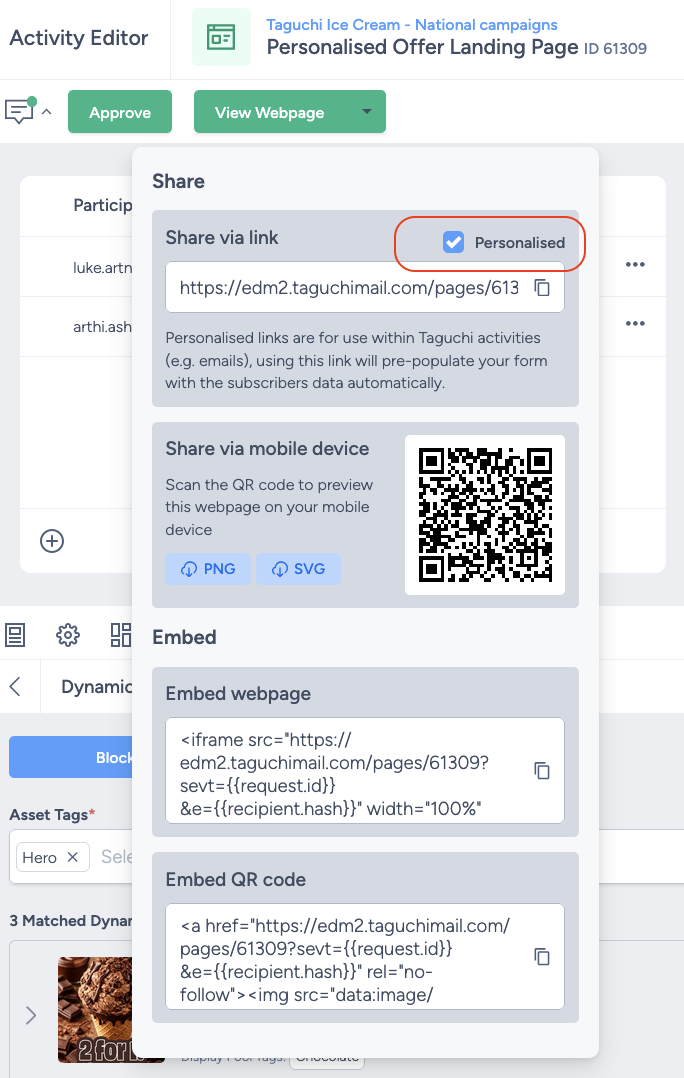
Step 4: Use a Personalised URL
To ensure subscribers receive personalized content, links or CTA buttons must use a personalised URL. Without a personalised URL, Taguchi cannot identify the subscriber and personalization will not apply.
Step 5: Subscriber Clicks the Personalised Link
When a subscriber clicks a personalised link from a Taguchi activity:
- They are taken to a personalised version of the webpage
Step 6: Content is Personalised
Each subscriber will see content based on:
- Their profile data
- Asset targeting and priority
- Business rules defined by you

Important Notes & Troubleshooting
- Web-compatible assets only Only assets compatible with webpages will display. You can now filter for web-compatible assets in the Asset Library.
- Eligibility checks Assets are selected in this order: published state, publication window, channel compatibility, one-or-more tag match, target eligibility, display-pool rules, then priority.
- No eligible match If no asset is eligible after checks, the dynamic block will not render personalised asset content for that subscriber.
- Preview vs live behaviour Editor preview helps validate setup, but live delivery still depends on subscriber identity, profile data, and runtime targeting.
- Draft/unpublished/expired assets Draft, unpublished, archived, or expired assets are not eligible for dynamic rendering.
- Debugging and logs The updated asset interface includes a debug pane and workflow log support. Workflow logs may not yet be enabled in every environment.
- Targeting is assessed daily Asset targeting is evaluated daily in Taguchi. If an asset or subscriber profile is updated to meet targeting rules, you may need to update the target for the asset to display.
- Browser caching When testing, browser caching may prevent you from seeing the latest asset. If this occurs, clear your browser cache and reload the page.
- End-to-end testing required Personalized web testing must be performed end to end, starting from the personalized URL, to ensure correct content delivery.
- Non-personalised links If a user visits via a non-personalised link, subscriber-specific targeting cannot be resolved. Include a generic fallback asset where possible.
💬 For further assistance with setting up dynamic assets in landing pages, contact Taguchi Support.