- Support Home
- Knowledge Base
- Subscriber Management
- Data Management
- Local Area Marketing with Taguchi
Related articles
Need some help?
If you have questions or can't find what you're looking for, we're here to help.
Taguchi Support is available 24 hours a day, Monday to Friday.
Create New TicketAPI Version 5
Did you know Taguchi has an API that supports all of the functionality provided by the admin interface and more?
Explore API Documentation
Thanks for your feedback!
Local Area Marketing with Taguchi
Overview
Taguchi’s local area marketing solution is a distributed customer engagement model designed for businesses with multiple locations (e.g. franchises, retail networks, or branches). It enables head office and local stores to collaborate on marketing while maintaining brand consistency, compliance, and data best practices & security.
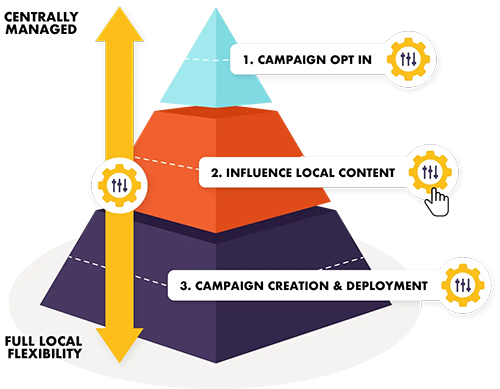
The platform balances:
- Centralised control (from head office)
- Local flexibility (for individual stores)
This ensures campaigns remain on-brand while still being relevant to local audiences.
Key Capabilities
- Centralised Brand Control with Local Flexibility

Taguchi allows head office teams to define:
- Brand guidelines
- Approved templates
- Messaging frameworks
At the same time, local stores can:
- Customise campaigns for their audience
- Tailor promotions based on local preferences
- Execute campaigns independently within approved guidelines
This is all powered by Taguchi's Partitions functionality.
Data security and brand compliance
Nationally distributed businesses often face challenges balancing local marketing flexibility with the need to maintain brand consistency and comply with data privacy and spam regulations. Taguchi addresses this by providing the facility for head office to have complete visibility on all communications, and can be approved by, head office before being sent, while enforcing key regulatory requirements such as terms and conditions and unsubscribe options. This helps maintain a consistent brand message, visual identity, and tone of voice across all marketing activities.
Centralised database integration and management also reduce the need for manual data handling by store staff, improving data hygiene and supporting strong customer data security practices.
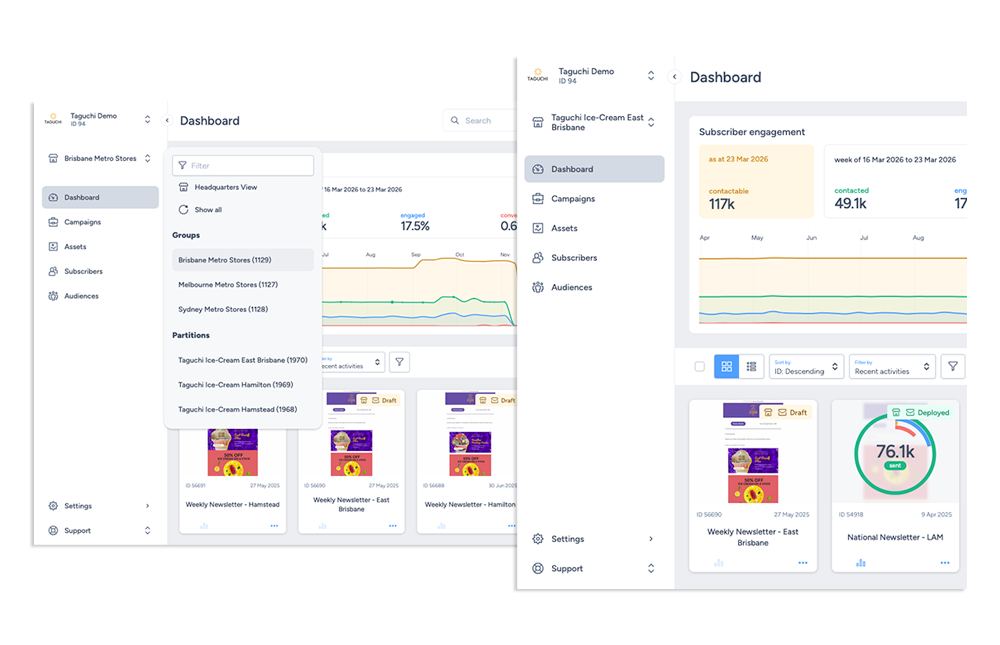
Partitions
A partition is a sub-view within a Taguchi organisation to manage content, targeting, and personalisation on a local store level.
Head office, groups & partition view
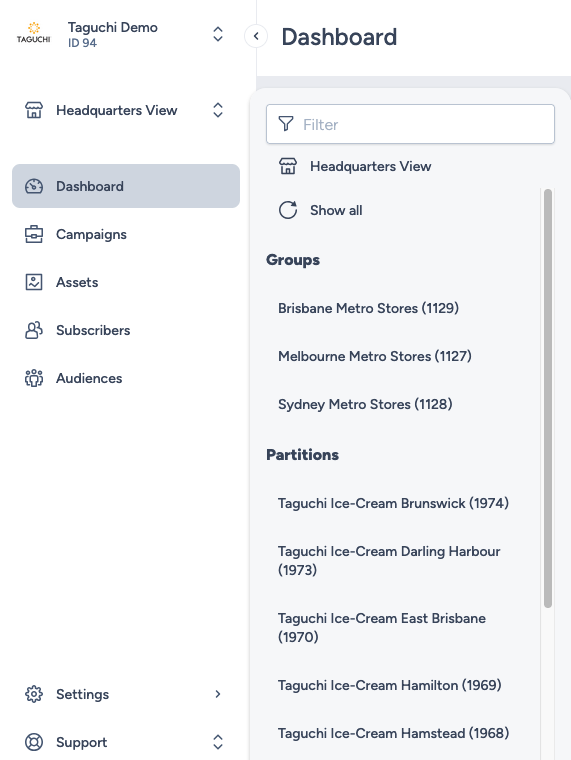
- Head office: Gives access to all head office and local store activties, subscriber lists, campaigns, audiences, &reporting at a head office level.
- Groups: Allows you to group partitions together e.g. grouping specific regional areas; and allows for access and view of all partition activties, subscriber lists, campaigns, reporting etc. within that region.
- Partitions: These are the local stores and give users a view of Taguchi on a store level. User access to Taguchi can be defined on a partition level, so only that user has access to one or a group of stores.
Setting up and utilising the head office & local store model
A head office user (Administrator of the Taguchi organisation) will need to take the following steps to set up partitions and partition access:
- Create partitions
- Create partition sets
- Add parititoned (store) users
- Control access to subscriber lists
- Allocate activities to partitions
- Use partition data in activities
If you have additional questions or require further assistance on Partitions, do not hesitate to reach out to Taguchi Support